Mower access troubleshooting · 4 min read
What to do if you forget your robot mower’s PIN
First check whether the problem is the mower’s PIN, the app login or buttons that are not responding. Use the recovery route for the exact machine and account before trying resets that may affect other settings.
Based on published manufacturer information.

Checked Nov 27 · In stock when checked. Shipping and tax at checkout.
Buy at Lowe’s See all offers & model details ↗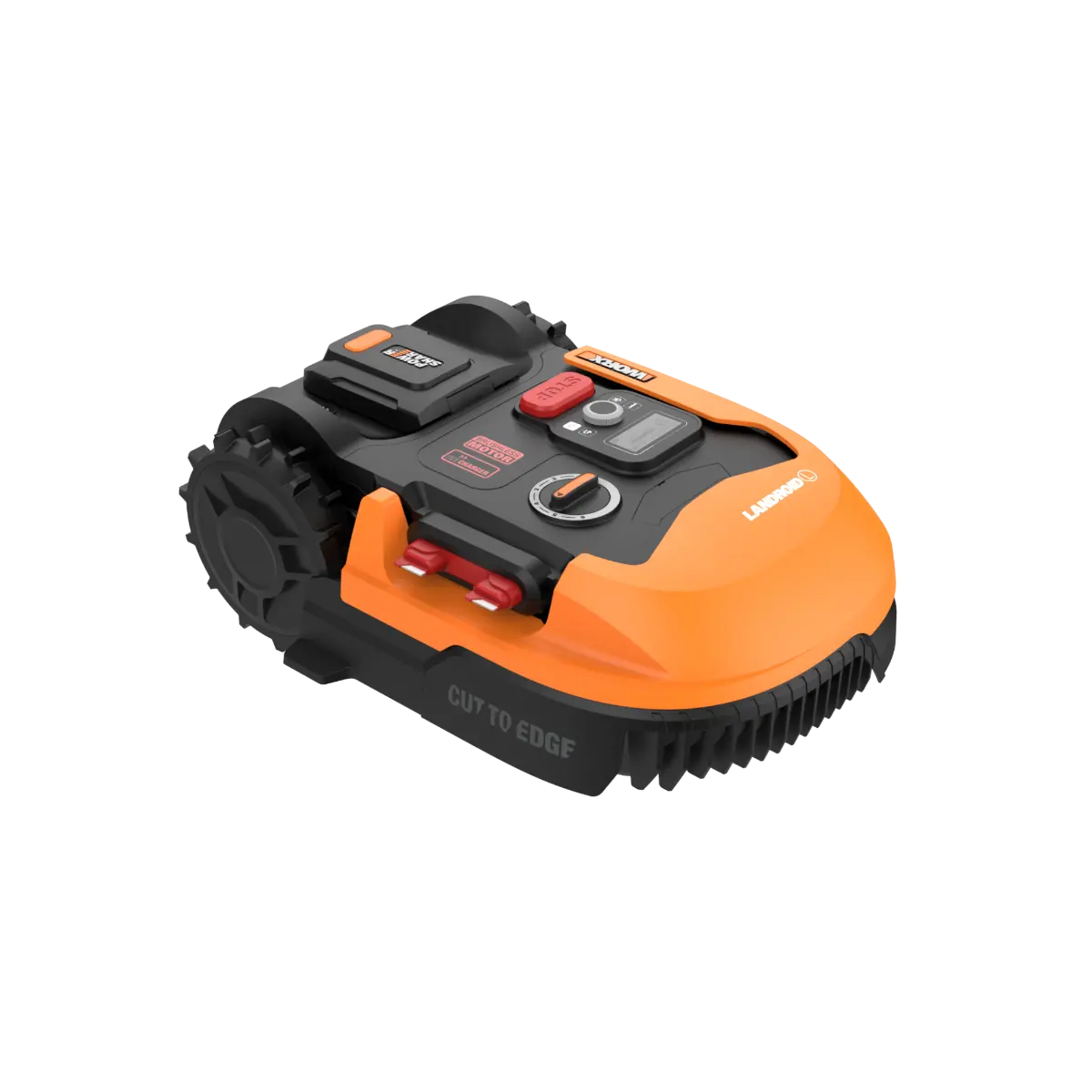
Checked Nov 27 · Availability unconfirmed. Shipping and tax at checkout.
Buy at Lowe’s See all offers & model details ↗We may earn a commission when you buy through these links.
Our recommendations come from published specifications. We may earn a commission from qualifying purchases. As an Amazon Associate, we earn from qualifying purchases. How we work
The quick verdict
Here’s where we’d start.
Identify the lock message, confirm access to the registered account and follow the exact model’s PIN recovery instructions. H210 documents a Reset PIN code menu; WORX’s Classic guide describes a desktop account Unlock route. If the route is unavailable or buttons fail, contact the manufacturer with the model and error details.
H210
The US H2 manual lists Reset PIN code under Safety features > Device lock.
A mower PIN and an app-account password are different credentials; confirm which screen is rejecting access.
Landroid L 1/2 Acre · WR155
The US manual identifies WRONG PIN and directs owners to enter the correct code or reset it.
WORX’s international Classic help uses a desktop account route; ask US support if that option is unavailable for your account.
Read the actual message before changing settings
Write down the model and the exact screen that is blocking you. A PIN prompt on the mower, an app login failure and a keypad that ignores touches need different checks.
If the machine is accessible but simply will not mow, start with the startup guide. An access problem needs to be resolved before diagnosing the scheduled cutting task.
Use the H210’s Reset PIN code menu
For Navimow H210, the US manual gives Home > Settings > Safety features > Device lock > Reset PIN code. Use that documented route from the connected, authorized app account.
The same section explains that Safety lock requires the PIN to unlock the mower. Child lock can leave the physical buttons unresponsive while app operation remains available.
Follow the WR155 and Classic recovery guidance together
The WORX WR155 US manual identifies WRONG PIN as an incorrect code and directs owners to enter the correct PIN or reset it.
WORX’s international Classic knowledge base describes signing into the Landroid account on a computer and using Unlock to restore the factory PIN. If the option is absent for your US account or the interface will not accept input, contact WORX for the applicable procedure.
An app login error is different from a locked mower
Suppose the H210 app opens your connected mower normally, but the mower asks for a forgotten PIN. Its documented Device lock menu is the relevant recovery route.
If you cannot sign into the app account at all, recover that account through official support first. The mower’s PIN menu does not recover the app password.
Identify what a reset actually changes
Before using a command, confirm whether it changes the PIN, removes the device from the account or deletes other settings. Use the documented PIN recovery action for this job.
Our remapping guide covers the separate decision to recreate a lawn map. A forgotten code alone does not establish that the map needs replacing.
Give support the model, message and button behavior
If recovery fails, keep the serial number, app version, exact error and a description of whether the buttons register input. Explain whether the device appears in the registered account. That distinguishes account access from a keypad or display problem.
Use the connection guide if the account works but the app cannot reach the mower.
Check normal access before starting the next run
After recovery, set and store your chosen PIN using the model’s instructions. Confirm that normal controls work and review the current lawn restrictions before starting.
For a mower returning after a long break, follow the restart guide alongside the access check.
If access is needed for a sale, use the ownership-transfer guide after resolving the PIN. Shared access, owner unbinding and separate tracking removal need their own checks.
A closer look
The differences, in view.
Scroll horizontally on smaller screens. Values are manufacturer claims; see each product for qualifiers and original wording.
| Specification | H210 | Landroid L 1/2 Acre · WR155 |
|---|---|---|
| Rated lawn coverage | 0.25 acreRecommended model-specific lawn size, not the expanded mapping allowance. | 0.5 acreManufacturer’s recommended lawn-size rating; allow for layout, charging and the mowing schedule. |
| Maximum slope | 45 % | 30 %Published maximum grade; confirm edge and installation limits. |
| Navigation | LiDAR + network RTK + vision | AIA navigation within perimeter wire |
| Boundary setup | Not confirmed | Perimeter wire requiredThe no-guiding-wire passage claim does not mean perimeter-wire-free installation. |
| Connectivity | Not confirmed | Bluetooth and Wi-Fi |
| Cutting height | Not confirmed | 1.5–3.5 in |
| Cutting width | Not confirmed | 8 in |
Ready to choose?
Your next step, made simple.
Checked Nov 27 · In stock when checked. Shipping and tax at checkout.
Buy at Lowe’s See all offers & model details ↗Checked Nov 27 · Availability unconfirmed. Shipping and tax at checkout.
Buy at Lowe’s See all offers & model details ↗We may earn a commission when you buy through these links.
Show your work
Sources & editorial method.
We reviewed official US product information and exact configurations. Our advice draws on published specifications and model-specific manufacturer instructions, with the practical trade-offs explained. Unknowns and conflicting claims are kept visible. Prices above come from the catalog and may change independently of this article’s review date.
- Navimow official US model page
- WORX official US model page
- Navimow H2 US manual, PIN reset and device locks
- WORX WR165/WR147/WR155 US manual, PIN protection and error message
- WORX international Classic PIN recovery, with US account applicability to confirm
Published Nov 19, 2026 · Editorial review Nov 25, 2026.
Read our research standardsKeep exploring
A little more perspective.

How to restart a robot mower after winter
Before restoring last year’s schedule, check the machine, the charging station and the lawn it is returning to. A shifted dock or a newly planted bed needs attention even when the mower starts normally.
Read the guideHow to Transfer a Robot Mower to a New Owner
Handing over the mower and charger is only part of selling it. Finish the account and tracking handover while you can still access the machine, then let the buyer set it up for their own lawn.
Read the guide