Troubleshooting · 5 min read
Solar pool skimmer not charging? Check the sunlight, power mode and signs of a jam
A skimmer sitting still does not automatically have a charging fault. Start with its indicators and exact charging instructions, then separate limited sunlight from an obstruction or a battery problem that needs support.
Based on published manufacturer information.
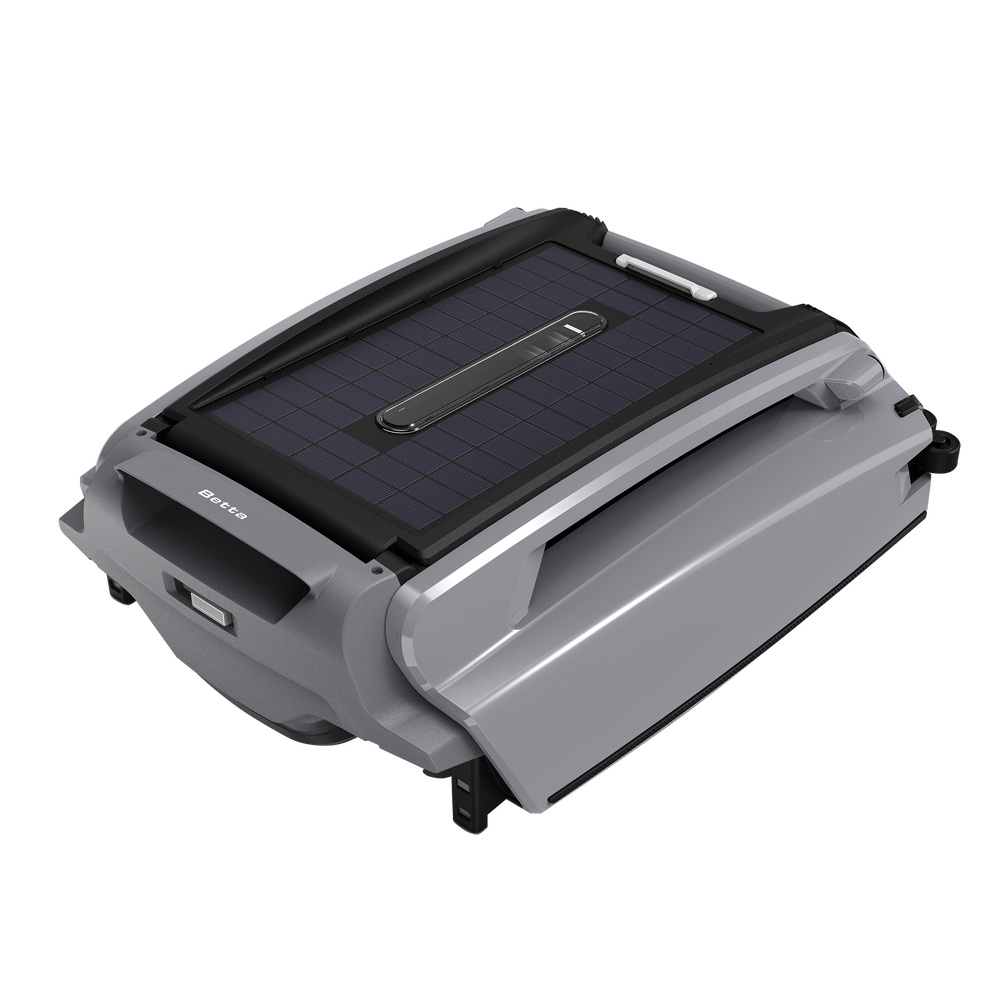
Checked Nov 27 · Price shown is from Betta. Check the model, price and availability in Lowe’s search results.
See all offers & model details ↗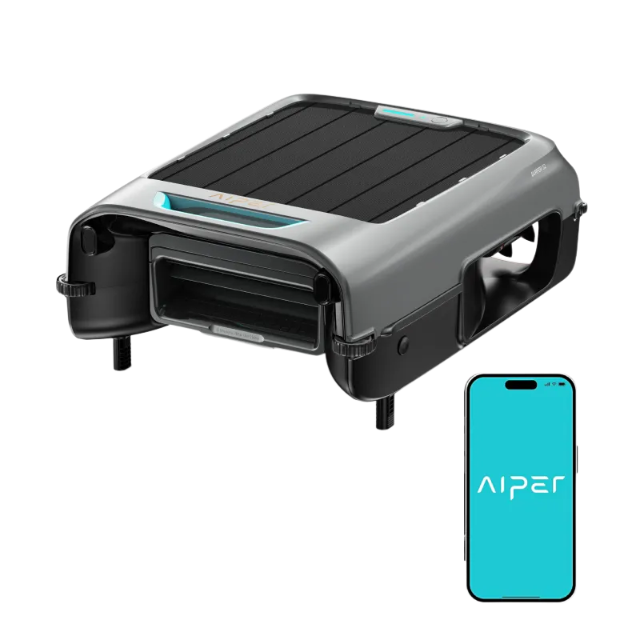
Checked Nov 27 · In stock when checked. Shipping and tax at checkout.
Buy at Lowe’s See all offers & model details ↗We may earn a commission when you buy through these links.
Our recommendations come from published specifications. We may earn a commission from qualifying purchases. As an Amazon Associate, we earn from qualifying purchases. How we work
The quick verdict
Here’s where we’d start.
Identify the exact model and record its indicators before changing anything. Betta SE Plus requires power on for solar charging and off for adapter charging; its low-power and stranded states mean different things. For EcoSurfer S2, use its own charging guidance and contact Aiper if charge disappears immediately after a proper full charge. Do not open the battery or substitute a charger.
SE Plus · Device Only
The exact SE Plus manual distinguishes solar-on from adapter-off charging and identifies low-power and stranded states.
Follow the manual’s charging, pool-use and panel-care conditions. Do not leave the unit on a hot dry deck or transfer its light codes to another model.
EcoSurfer S2
EcoSurfer S2 supports solar and DC charging, with separate official charging and battery-drain guidance.
Use the supplied charger and record the actual app and LED behavior. A sudden charge collapse needs support assessment, not an assumed DIY battery repair.
First distinguish not moving from not charging.
Note the model, power setting, lights, app percentage if available and what happened just before the stop. Record whether it fails in shade, after sunset, during adapter charging or immediately after a reported full charge. Those are different starting points.
Betta SE Plus and Aiper EcoSurfer S2 collect floating debris; neither is an underwater floor cleaner. Use the exact skimmer instructions for the checks below. Our skimmer-versus-cleaner guide separates those jobs and care routines.
The Flex and F1 comparison explains why an intentional rest period is different from a depleted battery. Check the selected mode before diagnosing a charging fault.
Check the charging switch position before blaming the battery.
Betta’s SE Plus manual requires the power switch on for solar charging and off for adapter charging. Check that setting against the charging method. For adapter charging, follow the complete manual sequence and use the supplied equipment.
Do not apply that switch rule to S2, Betta Neo or a different generation. Use the exact model’s instructions, including a safe, dry charging location and connection. Our Betta buying guide explains why these closely related skimmers still have different power and control arrangements.
Look at sunlight reaching the panel, rather than the weather forecast.
Record where the skimmer spends time as shade moves across the pool. A bright day does not mean its panel receives direct sun throughout the useful charging window. Betta’s manual also explains that weaker seasonal sunlight can reduce charging and runtime.
Avoid declaring a fault because a summer routine no longer lasts through a shorter day. Follow the model’s permitted charging alternatives, without leaving the robot unattended on a hot dry deck. The Neo versus SE Plus guide keeps the backup-power and scheduling differences visible.
Check panel deposits and the exact fault indication separately.
For SE Plus, the manual’s care sequence turns power off before cleaning. It permits a water rinse and soft dry cloth for panel residue, and forbids pressure washing, scraping or brushing the panel. Use S2’s own care instructions rather than transplant that recipe.
SE Plus’s flashing red low-power state differs from its combined red/green stranded state. A stop caused by an obstruction needs its supported obstruction check, not repeated charging. Keep hands away from running mechanisms and stop the unit before owner care. Our pool-cleaner care guide explains why exact-model procedures matter.
For repeated contact with a shallow tread, our skimmer-stuck-on-steps guide records the water level, contact point and exact anti-stranding arrangement before another trial.
If the main symptom is repeated tight turning, our circling-skimmer guide separates open-water movement, a ledge encounter and a low-power indication. Record the actual fault before changing parts.
A stop after sunset and a sudden empty battery need different responses.
Imagine an SE Plus stops after sunset following a mostly shaded day. First check its actual low-power indication, charging switch and sunlight history. That pattern gives you useful checks without proving a failed battery or promising how quickly it will recover.
Now imagine S2 reports a full adapter charge, then immediately falls to empty standby and repeatedly turns on and off. Aiper publishes separate guidance for that behavior. Record it for support rather than keep rewriting the schedule or opening the unit. These examples sort the evidence; they do not diagnose a component from one symptom.
Inspect the charging setup without forcing a connection.
Aiper’s S2 charging guidance calls for the supplied charging equipment and checking for damaged or corroded connections. Do not force a connector or keep using damaged equipment. Follow its instructions for a clean, dry port and charging position before attempting an ordinary charge.
If the approved setup still produces no charging response, record the charger and robot indicators and contact the manufacturer. Avoid importing a generic reset sequence or replacing a sealed battery yourself. Our cordless-cleaner charging guide covers how to organize the symptom and equipment details without treating every robot as identical.
Give support a short account that separates the possible causes.
Send the exact model, serial number, charger identification, power setting, recent sunlight conditions and a short indicator or app record. State whether the battery never charged, charged but fell quickly, or the robot stopped while showing another fault.
A replacement makes more sense after that assessment than after one cloudy afternoon. If you are comparing a different skimmer for the pool, read Neo versus EcoSurfer S2 or WYBOT F1 versus Neo. Confirm the replacement’s own sunlight, charging and pool-fit requirements.
A closer look
The differences, in view.
Scroll horizontally on smaller screens. Values are manufacturer claims; see each product for qualifiers and original wording.
| Specification | SE Plus · Device Only | EcoSurfer S2 |
|---|---|---|
| Cleaning coverage | Water surface only | Water surface |
| Power source | Solar + AC adapter | Solar + DC charging |
| Filtration | 200 μm debris basket | 150 μm |
| Claimed runtime | 1800 minManufacturer claims 30+ hours; weather and operating mode matter. | Not confirmed |
| Charging | 5–6 hours direct sun; 3.5 hours adapter | Not confirmed |
Ready to choose?
Your next step, made simple.
Checked Nov 27 · Price shown is from Betta. Check the model, price and availability in Lowe’s search results.
See all offers & model details ↗Checked Nov 27 · In stock when checked. Shipping and tax at checkout.
Buy at Lowe’s See all offers & model details ↗We may earn a commission when you buy through these links.
Show your work
Sources & editorial method.
We reviewed official US product information and exact configurations. Our advice draws on published specifications and model-specific manufacturer instructions, with the practical trade-offs explained. Unknowns and conflicting claims are kept visible. Prices above come from the catalog and may change independently of this article’s review date.
- Betta official US page — exact model information
- Aiper official US page — exact model information
- Betta SE Plus official HTML manual — power, indicators and care
- Betta SE Plus linked official PDF — charging and panel care
- Aiper EcoSurfer S2 — charging equipment and support checks
- Aiper EcoSurfer S2 — sudden standby drain and on/off behavior
Published Nov 9, 2026 · Editorial review Nov 15, 2026.
Read our research standardsKeep exploring
A little more perspective.
Solar pool skimmer going in circles? Check the location, propulsion and faults
Repeated tight circles in open water need a different check from turns beside a ledge. Record where it happens, retrieve the skimmer safely and follow the exact model’s powered-off obstruction checks before another run.
Read the guideSolar pool skimmer stuck on steps? Check the ledge, bars and signs of a jam
A skimmer grounded on a shallow ledge needs a different check from one circling in open water. Record where it stops, follow its exact anti-stranding instructions and avoid copying another model’s bar settings.
Read the guide