Mower setup · 4 min read
Moving a robot mower’s RTK antenna after mapping
A mower can get a better signal from a new antenna location and still need its map rebuilt. Find out whether you’re moving the primary reference, an accessory antenna or just the charging base.
Based on published manufacturer information.

No current brand offer. Explore Amazon options.
Checked Nov 25 · In stock when checked. Shipping and tax at checkout.
Buy at Lowe’s See all offers & model details ↗We may earn a commission when you buy through these links.
Our recommendations come from published specifications. We may earn a commission from qualifying purchases. As an Amazon Associate, we earn from qualifying purchases. How we work
The quick verdict
Here’s where we’d start.
Pause the schedule and identify the hardware before moving it. Mammotion calls for a new map when its local reference moves. The X4 manual also requires a new map after a primary antenna move and gives different guidance for its signal enhancement antenna.
LUBA mini AWD 800H
Mammotion support explains that the map is tied to the position of the local reference station.
Confirm the installation uses local RTK and identify the exact generation before changing the setup.
X430
The US X4 manual gives separate instructions for the primary antenna and the Signal Enhancement Antenna.
Verify which part moved before rebuilding the map or using the app’s charging station relocation command.
Identify the part you need to move
Pause scheduled mowing and check whether the move involves the local RTK reference, an antenna that extends its signal, or the dock. Photograph the installation and save screenshots of the zones and settings before changing anything.
If only the dock is moving, follow the exact mower’s station procedure and check the route home. See the charging station relocation guide.
Plan to rebuild the map after a Mammotion reference move
For an original LUBA mini AWD 800H installation using local RTK, Mammotion’s reference-station guidance explains why changing that fixed position shifts the map. It calls for deleting and recreating the map after the move.
A strong signal at the new location only tells you about reception. Build and check the boundaries from the new reference before starting a task. Our positioning guide helps when the antenna is still in place and you are diagnosing signal loss.
Check which X4 antenna is moving
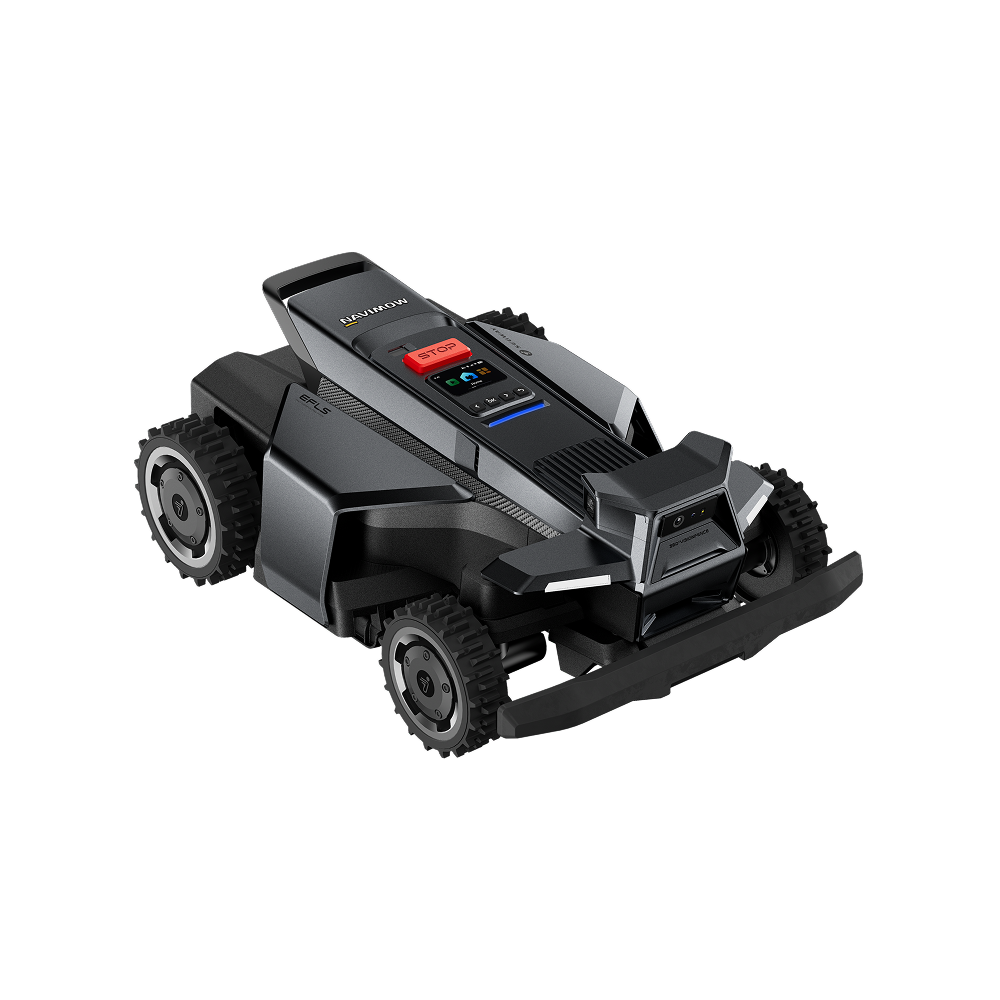
The Navimow X430 uses the X4 procedure. Its US manual says moving the primary antenna after saving a map requires a new map. Moving the separate Signal Enhancement Antenna alone does not require remapping.
If the app reports a moved charging station or antenna, use Navimow’s X4 support steps for that alert. The station placement guide helps if the dock also needs a new approach.
A better spot on the other side of a shed changes the setup
Say the X430’s primary antenna moves from a stake by the shed to a fixed spot on the far wall. Leave the schedule paused, finish installing and checking reception at the new site, and make a fresh map with the mower’s mapping procedure.
If the move was just to a Signal Enhancement Antenna and the primary stayed put, the X4 manual says you can keep the map. Check reception where the robot previously struggled before returning to unattended runs.
Check the app if the mower uses network RTK
A network RTK installation uses corrections delivered over a network. Check the exact mower’s migration instructions before changing positioning modes, including any map or service requirements.
Our guide to mowers without a local RTK station explains which setup still depends on coverage at your address.
Recheck the places you marked out of bounds
Use the saved screenshots as a reference when rebuilding. Walk the border and review any excluded beds, trees, water edges and the channels that join separate areas.
Take a moment to verify the no-go zones before scheduling a run. A new map is also a chance to catch a path that is now blocked.
Watch the first trip out and back
Observe a short run once the map and exclusion areas are ready. Check a section near the old signal problem and watch the mower return to charge.
If the mower still misreads the boundary or cannot dock, stop the schedule and record the alert and where it occurred. Check the dock troubleshooting guide if it reaches the station approach and fails there.
A closer look
The differences, in view.
Scroll horizontally on smaller screens. Values are manufacturer claims; see each product for qualifiers and original wording.
| Specification | LUBA mini AWD 800H | X430 |
|---|---|---|
| Rated lawn coverage | 0.2 acreExact 800H variant rating; not per-charge area. The page also labels this model 8,611 sq ft, which is not used as an exact conversion. | 1 acreRecommended model-specific lawn size, not the expanded mapping allowance. |
| Cutting height | 2.2–4.0 inH version; the S version has a separate height range. | Not confirmed |
| Drive system | AWD | Four-wheel drive |
| Maximum slope | 80 %Maximum climbing claim for the mowing area; a separate boundary-slope limit is not established in the saved source. | 84 % |
| Maximum slope | 38.6 °Manufacturer rounded equivalent. | Not confirmed |
| Navigation | UltraSense AI visionThe page separately advertises NetRTK, and the box contains RTK hardware; this is not the mini 2 LiDAR system. | Not confirmed |
| Positioning options | NetRTK optionConfirm coverage and connection requirements. Physical RTK equipment is also listed in the package. | Not confirmed |
Ready to choose?
Your next step, made simple.
No current brand offer. Explore Amazon options.
Checked Nov 25 · In stock when checked. Shipping and tax at checkout.
Buy at Lowe’s See all offers & model details ↗We may earn a commission when you buy through these links.
Show your work
Sources & editorial method.
We reviewed official US product information and exact configurations. Our advice draws on published specifications and model-specific manufacturer instructions, with the practical trade-offs explained. Unknowns and conflicting claims are kept visible. Prices above come from the catalog and may change independently of this article’s review date.
- Mammotion official US model page
- Navimow official US model page
- Navimow X4 US manual, specifications and primary antenna installation
- Mammotion support on moving the local RTK reference
- Navimow X4 support for the moved station or antenna alert
Published Nov 10, 2026 · Editorial review Nov 10, 2026.
Read our research standardsKeep exploring
A little more perspective.


How to Set Up No-Go Zones for a Robot Mower
Start by walking the lawn and marking the places the mower must avoid, then use the exact model's mapping instructions. E15 Gen 2 no-go zones and Navimow H2 off-limit islands are useful examples, but their names and setup rules differ. Keep the route back to the charger in view too.
Read the guideMoving a robot mower’s charging station: Check the new route before restarting
A better-looking corner is only useful if the mower can locate and reach it. Check the new installation first, use the exact model’s relocation procedure, then verify the return journey before restoring the schedule.
Read the guide