Setup buying guide · 7 min read
LiDAR, RTK and Camera Navigation: Which Robot Mower Setup Suits Your Yard?
The labels overlap: many robot mowers combine cameras with another positioning system. We'd compare the exact model's equipment and connection requirements, then ask about the awkward parts of your yard instead of choosing a technology name on its own.
Based on published manufacturer information.

Checked Nov 27 · In stock when checked. Shipping and tax at checkout.
Buy at Lowe’s See all offers & model details ↗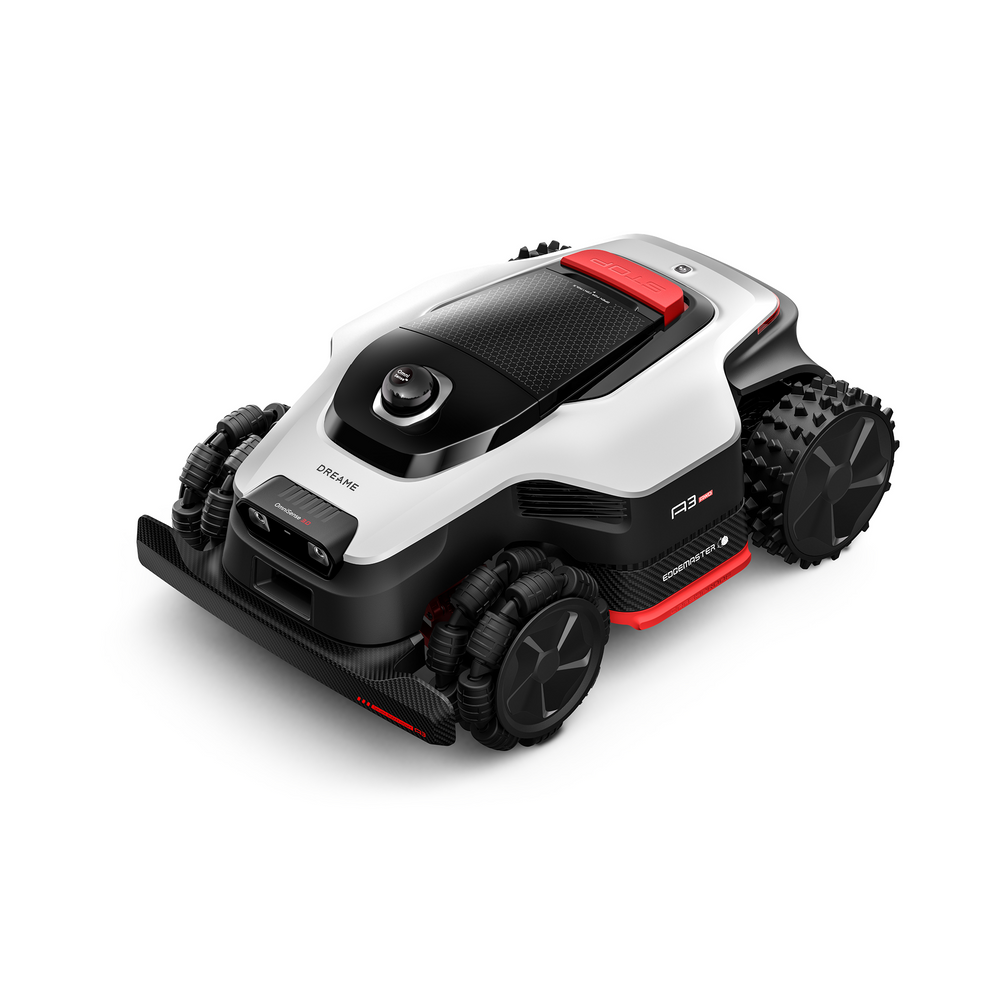
Checked Nov 27 · In stock when checked. Shipping and tax at checkout.
Buy at Lowe’s See all offers & model details ↗We may earn a commission when you buy through these links.
Our recommendations come from published specifications. We may earn a commission from qualifying purchases. As an Amazon Associate, we earn from qualifying purchases. How we work
The quick verdict
Here’s where we’d start.
We'd investigate eufy Gen 2 for a suitable camera-guided lawn, Dreame A3 AWD 2000 or LUBA 3 1500 for documented LiDAR/vision setups without an RTK station, and LUBA 3 3000H or TRON after confirming their local or network positioning arrangements. These are setup choices, not measured navigation rankings. Grass fit, cutting height, routes and available mowing hours still have to work for the exact model.
E15 Gen 2
E15 Gen 2 uses TrueVision and documents no perimeter wire or RTK station.
Check grass exclusions, daylight operation and boundaries. GPS anti-theft reporting is separate from mowing navigation.
A3 AWD 2000
A3 AWD 2000 lists 360° 3D LiDAR and binocular AI vision, with no perimeter wire or RTK station.
Confirm the complete route and boundaries. Station-free does not establish a measured result under your trees.
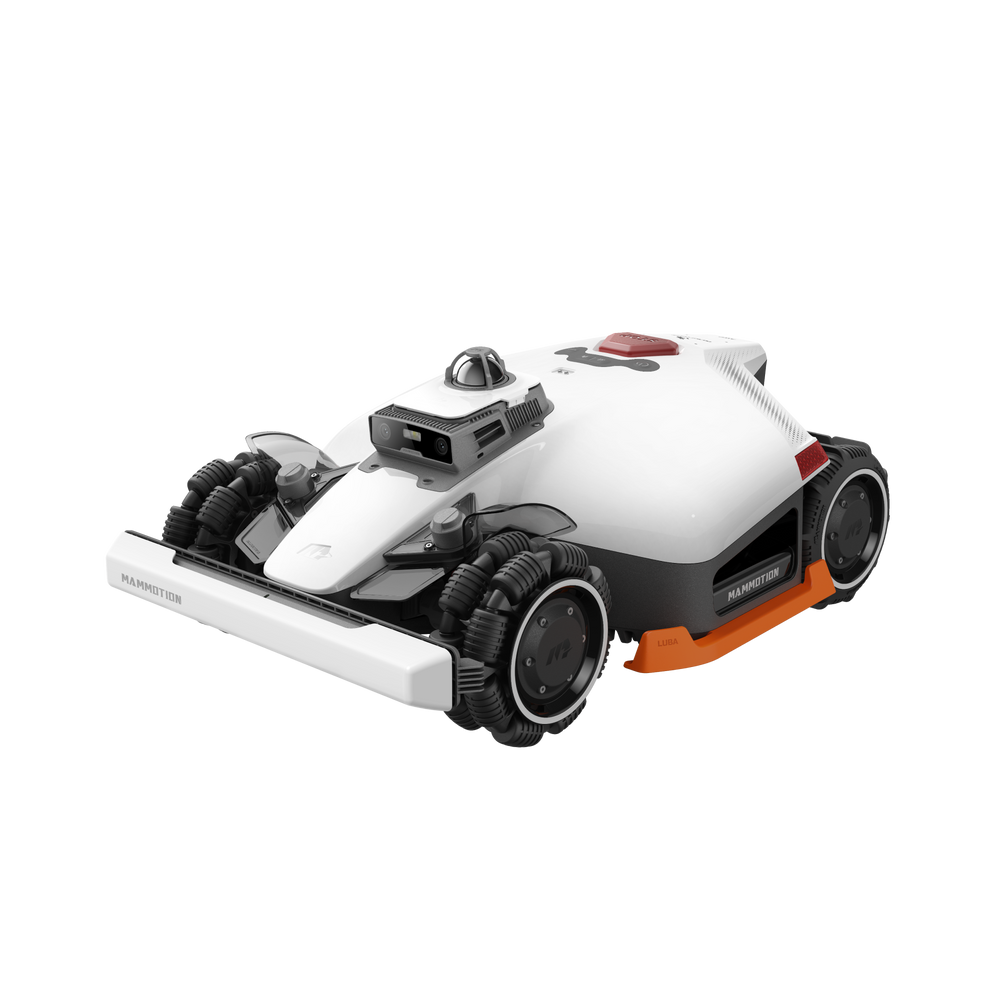
LUBA 3 AWD 1500
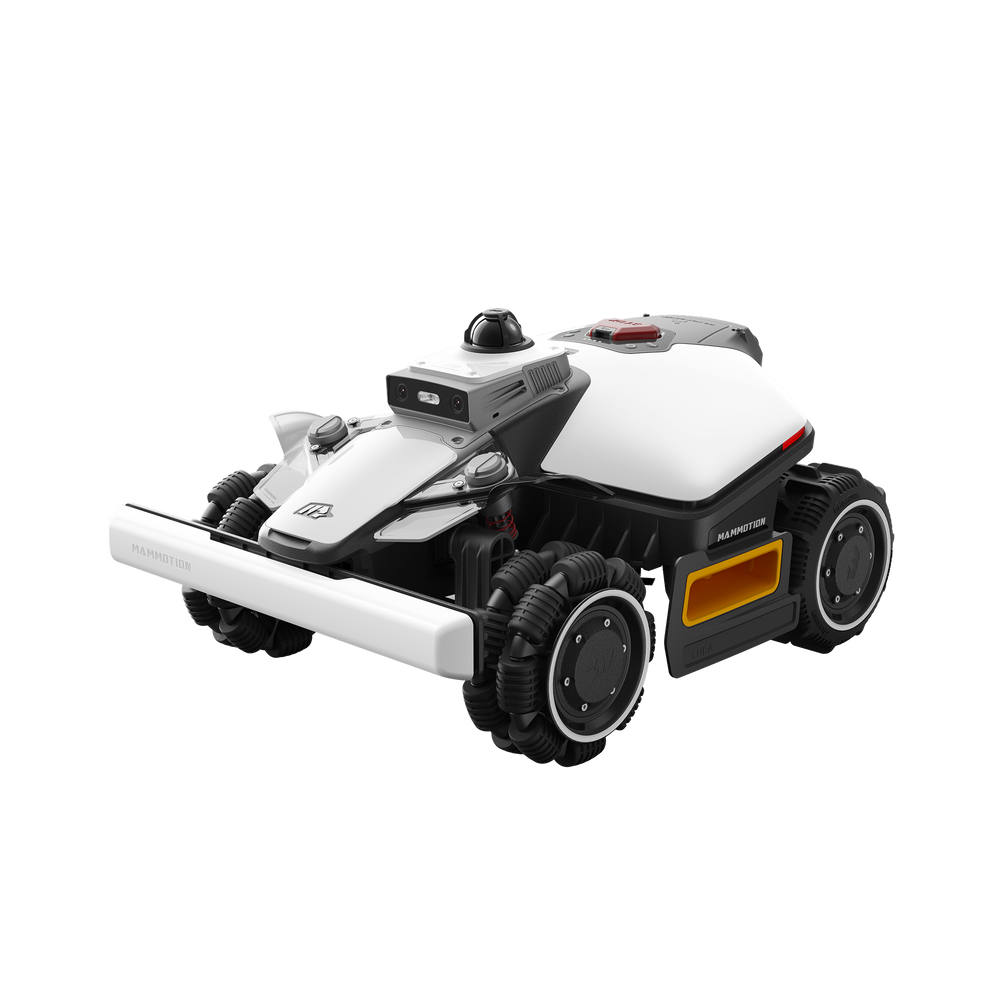
Standard LUBA 3 1500 documents LiDAR and AI vision without RTK/NetRTK.
The 1500 differs from larger LUBA 3 models; its standard cutting range is 1–2.7 inches.
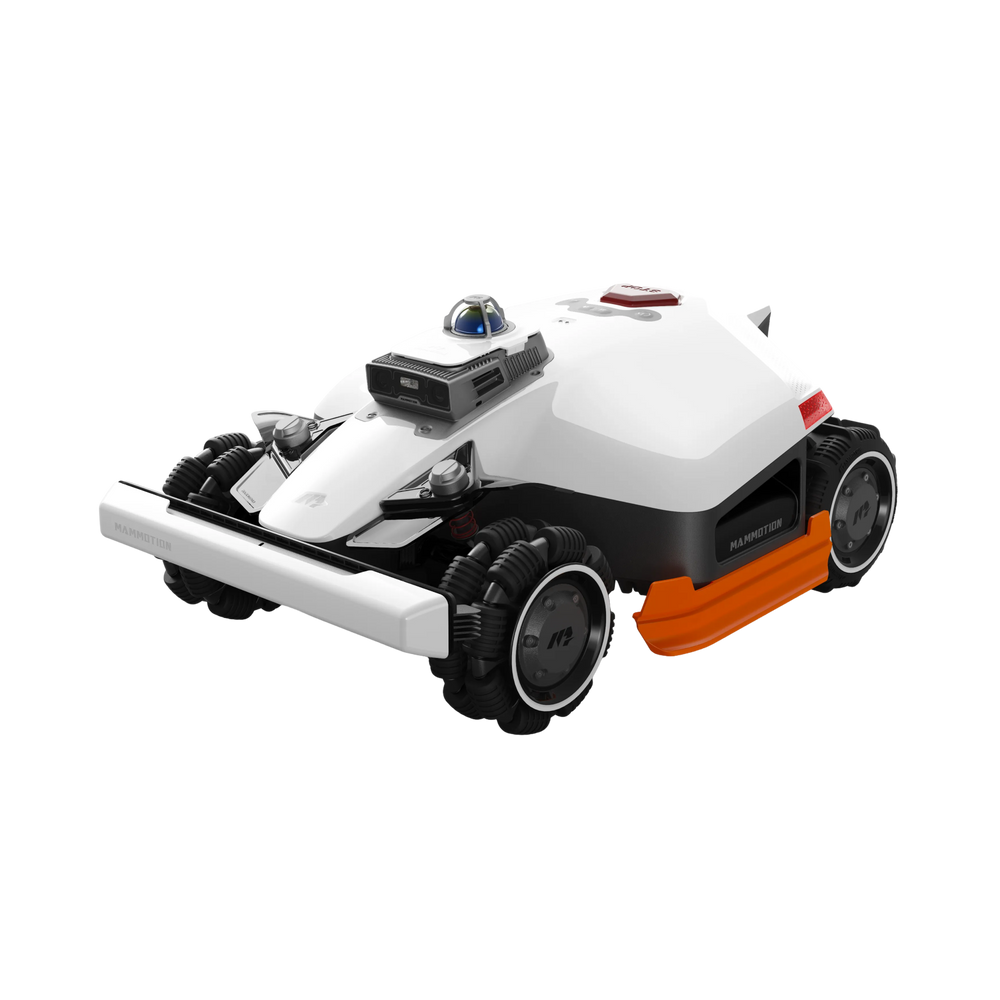
LUBA 3 AWD 3000H
LUBA 3 3000H combines LiDAR, NetRTK and dual-camera vision while listing RTK hardware in its package.
Confirm address coverage, required hardware and separate positioning-data and general cellular-service terms.
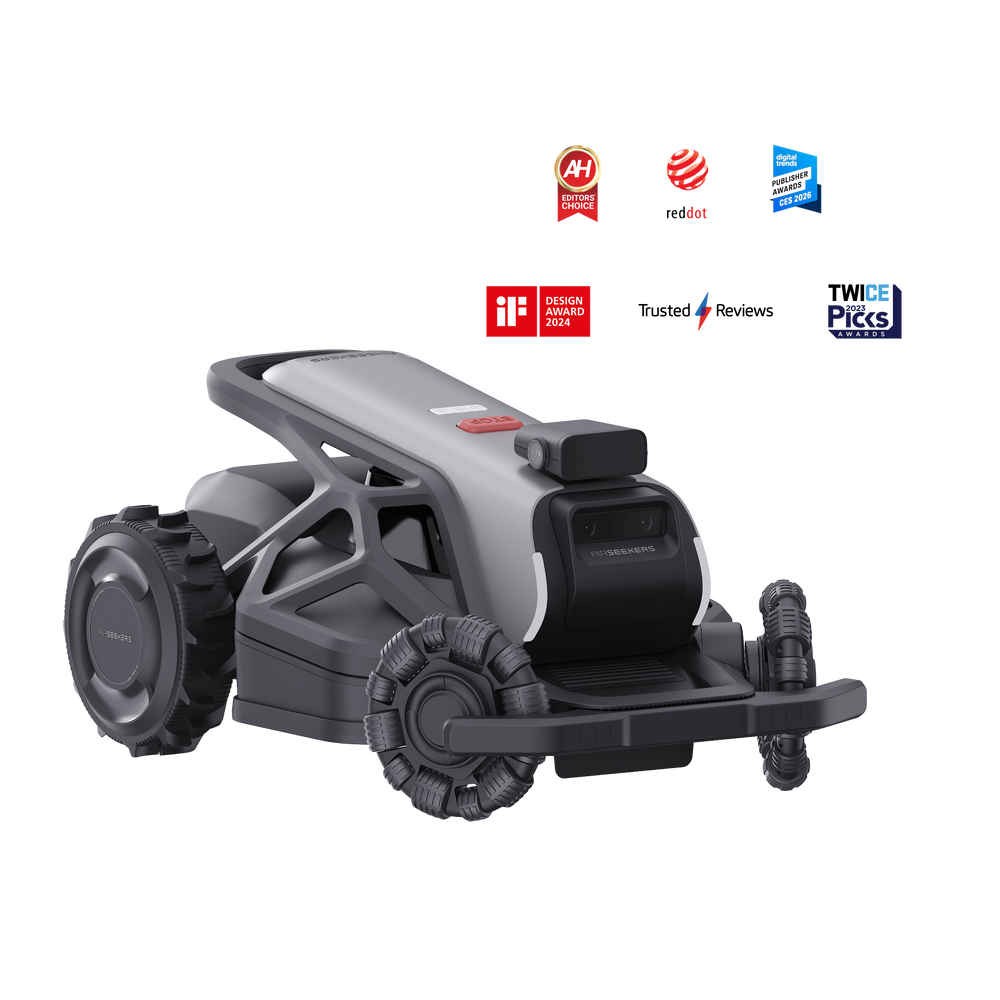
TRON
TRON lists a 300° camera view and network RTK.
Its box and setup instructions also list an RTK base. Resolve the arrangement and service terms before ordering.
Compare the exact model, rather than three separate camps.
Camera, LiDAR and RTK labels don't divide the market into three tidy groups. Several mowers here combine technologies. We'd read the exact model's navigation description, included equipment and setup instructions together. A family headline can cover multiple arrangements, particularly when smaller and larger capacity versions share a page.
Then write down what you want from the setup: no reference station, fewer connection requirements, a suitable route beside the house or a confirmed plan for trees. Those are questions a model-specific recommendation can answer. The technology label alone doesn't establish performance in your garden or prove that every other installation task disappears.
Our boundary-wire versus wireless guide puts these navigation choices beside a physical-loop installation. It explains what each system changes and which grass, terrain and route checks remain necessary.
Camera navigation can still have other radios for other jobs.
The eufy E15 Gen 2 documents TrueVision camera navigation without a perimeter wire or RTK station. Its manual separately describes GPS location reporting for anti-theft use and cellular communication. Those features don't turn its mowing navigation into an RTK setup. Keep the function of each connection clear while reading the specifications.
We'd check grass and lighting requirements early: Gen 2's visible FAQ excludes Zoysia and St. Augustine and limits mowing to daylight. Our E15 generation comparison also explains the area and cutting figures. Camera branding isn't a reason to overlook the conditions attached to a particular mower.
For the separate communication question, read whether a mower needs Wi-Fi across the whole yard. It uses exact Dreame and eufy examples to distinguish mapping, stored routines and app access.
For a quarter-acre example within one brand, our Worx WR210 versus WR310.1 guide compares camera-led Vision AI with RTK Cloud, including the different border and zone setup.
Dreame combines LiDAR with cameras.
The Dreame A3 AWD 2000 lists 360° 3D LiDAR and binocular AI vision, without a perimeter wire or RTK station. We'd investigate that arrangement when a separate positioning station doesn't suit the property. It is still a combination of sensors, rather than proof that cameras and LiDAR are competing choices you must pick between.
Ask about narrow routes, the edges of the lawn and the charger location. The 2000 is rated for half an acre and has a 1.2–3.9-inch cutting range, which may decide its fit before navigation does. Our station-free guide compares other exact configurations when avoiding that hardware is the starting requirement. Our ECOVACS GOAT guide looks at that brand’s LiDAR/RTK choices, while the ANTHBOT guide separates M5 LiDAR from the PRO models’ combined positioning.
Our MOVA LiDAX Ultra 1000/2000 comparison explains another LiDAR-and-vision setup, including the different map limits and optional Link service questions.
LUBA 3 1500 has its own navigation arrangement.
The standard LUBA 3 AWD 1500 specifically lists LiDAR and AI vision without RTK/NetRTK. Its package excludes the RTK reference equipment. We'd keep that wording with the 1500 instead of applying a larger LUBA 3 model's combined positioning headline to every version in the family.
It is rated for 0.37 acre with a one-to-2.7-inch standard cut. If you need a different height or more area, the setup comparison has to move with the exact variant. Our LUBA 3 1500 vs 3000 guide explains why capacity and positioning should be checked together.
Our 1500H versus standard A3 2000 guide applies the exact navigation distinction to a purchase decision. It keeps grass height, actual area and availability beside the absence of RTK equipment.
Network positioning still needs a clear installation answer.
The LUBA 3 AWD 3000H lists LiDAR, NetRTK and dual-camera AI vision, while its package includes physical RTK equipment. The Airseekers TRON lists a 300° camera view and network RTK, yet also describes an RTK base in its box and setup instructions. We'd ask which arrangement applies at your address.
Confirm service coverage, equipment placement and the network connection that carries positioning data. Don't assume that a network feature guarantees no local station for every installation. Conversely, included hardware doesn't prove it must all be installed in every supported arrangement. Get the explanation for the selected model and property before deciding where equipment will go. The Navimow guide also explains why its i2, H2 and X4 families need separate setup checks.
Our Kress KR272/KR282 comparison covers network RTK and EyePilot vision without a local reference antenna, with address coverage and service terms still part of the installation decision.
Our 435 iQ AWD/440 iQ comparison covers two EPOS models whose traction and cutting ranges differ. AWD does not replace confirming the positioning arrangement at the property.
For the Greenworks range, our G Series AWD guide keeps the RTKVision overview separate from unconfirmed exact-model hardware. Get an installation plan rather than borrow C Series package contents.
Show the difficult parts of the yard.
Send pictures of trees, sheds, walls, changing ground levels and the route between lawns. Ask how the proposed system handles those particular areas and what conditions would stop work. We don't have a common-condition navigation test here, so we'd avoid ranking the robots by a camera angle or a positioning-precision headline alone.
Also show unclear lawn edges, water and drops. A virtual map or obstacle-detection feature doesn't supply every boundary setback. Our hilly-yard guide looks at terrain and edges, while the separate-lawns guide focuses on the complete travel route. More sensors don't make a closed gate passable.
Our buying guide for yards with trees applies those positioning questions to exact Dreame, LUBA mini 2 and H220 choices, with cutting height, ground and dock location kept in the decision.
Keep the connection and maintenance routine in the comparison.
Ask which functions require Wi-Fi, cellular data or a paid service, and what changes after an included period. A station-free machine can still have optional cellular costs. Our subscription guide separates those terms from hardware. That is especially useful when lifetime positioning and general remote-control data appear on the same page.
Check the instructions for keeping cameras, LiDAR surfaces and charging contacts clean as well. These are parts of the ownership routine, not evidence that one sensor type is harder to maintain. We'd compare the practical setup and ongoing requirements after confirming the mower's area and cutting range, rather than treat navigation as the entire purchase. For the physical installation, our charger-placement guide separates the approach, ground and power checks from the navigation label.
Choose a setup that the manufacturer can explain for your yard.
We'd consider Gen 2's camera arrangement when its lawn restrictions fit, Dreame 2000 or LUBA 1500 for documented station-free LiDAR/vision setups, and LUBA 3000H or TRON when their positioning arrangements are confirmed. Each can be a sensible investigation for a different property; none is a universal technology winner from these specifications.
Keep the model name, layout, equipment list and connection terms together while comparing offers. If a requirement is still unanswered, ask about that requirement directly. A clear plan for your charger, boundaries and routes is more useful than choosing the newest-sounding navigation label and hoping the installation will follow.
Our Worx WR320.1 versus WR342 comparison also shows a choice that is mainly about drive hardware: both use RTK Cloud, so adding 4WD does not settle the property’s positioning requirements.
Our guide to mowing at night explains why an explicit H2 or LUBA 3 night-navigation claim still needs the exact operating limits, settings and garden conditions checked.
A closer look
The differences, in view.
Scroll horizontally on smaller screens. Values are manufacturer claims; see each product for qualifiers and original wording.
| Specification | E15 Gen 2 | A3 AWD 2000 | LUBA 3 AWD 1500 | LUBA 3 AWD 3000H | TRON |
|---|---|---|---|---|---|
| Rated lawn coverage | 0.2471 acresNormalized from 1,000 m² manufacturer coverage claim; not per-charge coverage. | 0.5 acreExact 2000 US variant rating; not per-charge area. | 0.37 acreRated lawn area for this exact US variant, not per-charge mowing area. | 0.75 acreExact US high-height variant rating, not mowing area per charge. | 0.59 acreThe variant and detailed comparison state 0.59 acre (2,400 m²); the 24-hour summary rounds that to 0.6 acre. This is the standard TRON. |
| Maximum slope | 18 °Visible mower setup FAQ; boundary-slope limit not specified. | 38.7 °Manufacturer rounded equivalent. | 38.6 °Manufacturer rounded equivalent. | 38.6 °Manufacturer rounded equivalent. | 31 °Manufacturer’s rounded working-grade equivalent; boundary limit not confirmed. |
| Navigation | TrueVision camera navigation | 360° 3D LiDAR + binocular AI vision | 360° LiDAR + AI vision1500-specific text; the page explicitly says without RTK/NetRTK. | 360° LiDAR + NetRTK + dual-camera AI vision | 300° AI vision + nRTKThe box list also includes an RTK base station; confirm the required positioning setup. |
| Boundary setup | No perimeter wire or RTK stationManufacturer configuration claim, not a guarantee of signal reliability. | No perimeter wire or RTK station | No perimeter wire | No perimeter wireThe page advertises NetRTK without RTK installation while also listing RTK hardware in the 3000/5000 package; confirm the required arrangement. | No perimeter wireCharging and positioning equipment still need installation. |
| Connectivity | Wi-Fi setup; 4G supportedThe page does not establish this generation’s data subscription terms. | App control | Built-in 4G | Built-in 4G | Bluetooth, Wi-Fi and 4GIncluded service duration and ongoing fees are not confirmed. |
| Cutting height | 1–3 inE15 Gen2 T280L user guide, section 2.4; not transferred from the original E15. | 1.2–3.9 in0.2-inch increments. | 1.0–2.7 inStandard version; H variants have a different height range. | 2.2–4.0 inHigh Version / H variant; the standard model has a different cutting range. | 1.18–3.54 in |
| Cutting width | 8 inE15 Gen2 T280L specification table. | 7.9 in | 15.7 in | 15.7 in | 8.66 inStandard cutting disc; larger cutting configurations need package confirmation. |
Ready to choose?
Your next step, made simple.
Checked Nov 27 · In stock when checked. Shipping and tax at checkout.
Buy at Lowe’s See all offers & model details ↗Checked Nov 27 · In stock when checked. Shipping and tax at checkout.
Buy at Lowe’s See all offers & model details ↗No current brand offer. Explore Amazon options.
No current brand offer. Explore Amazon options.
Checked Nov 27 · In stock when checked. Shipping and tax at checkout.
Buy at Lowe’s See all offers & model details ↗We may earn a commission when you buy through these links.
Show your work
Sources & editorial method.
We reviewed official US product information and exact configurations. Our advice draws on published specifications and model-specific manufacturer instructions, with the practical trade-offs explained. Unknowns and conflicting claims are kept visible. Prices above come from the catalog and may change independently of this article’s review date.
- E15 Gen 2 — exact camera navigation, grass and daylight requirements
- E15 Gen2 T280L manual — navigation versus cellular and anti-theft functions
- Dreame A3 AWD — 2000 LiDAR/vision setup and property specifications
- Mammotion LUBA 3 AWD — 1500-specific positioning and larger-model packages
- Airseekers TRON — network positioning and included RTK equipment
Published Nov 2, 2026 · Editorial review Nov 10, 2026.
Read our research standardsKeep exploring
A little more perspective.
Do Robot Mowers Need a Subscription? 4G, RTK and App Costs Explained
A free app, included cellular data and lifetime positioning are different promises. We'd ask which features you need, how they connect and what happens when an included period ends before comparing the long-term cost of a mower.
Read the guideRobot Mowers for Separate Front and Back Lawns: What to Check
Two lawns don't necessarily need two mowers. The important questions are whether one robot can cover their combined area, travel between them and get back to charge. A closed gate can matter more than a long list of mapping features.
Read the guide