Setup guide · 5 min read
Do Robot Mowers Need Wi-Fi Across the Whole Yard?
Not every mower needs your home Wi-Fi to reach every corner. The answer depends on how it maps, what it needs to keep mowing and which app features you want away from the house. We'd check those jobs separately before buying more network equipment.
Based on published manufacturer information.
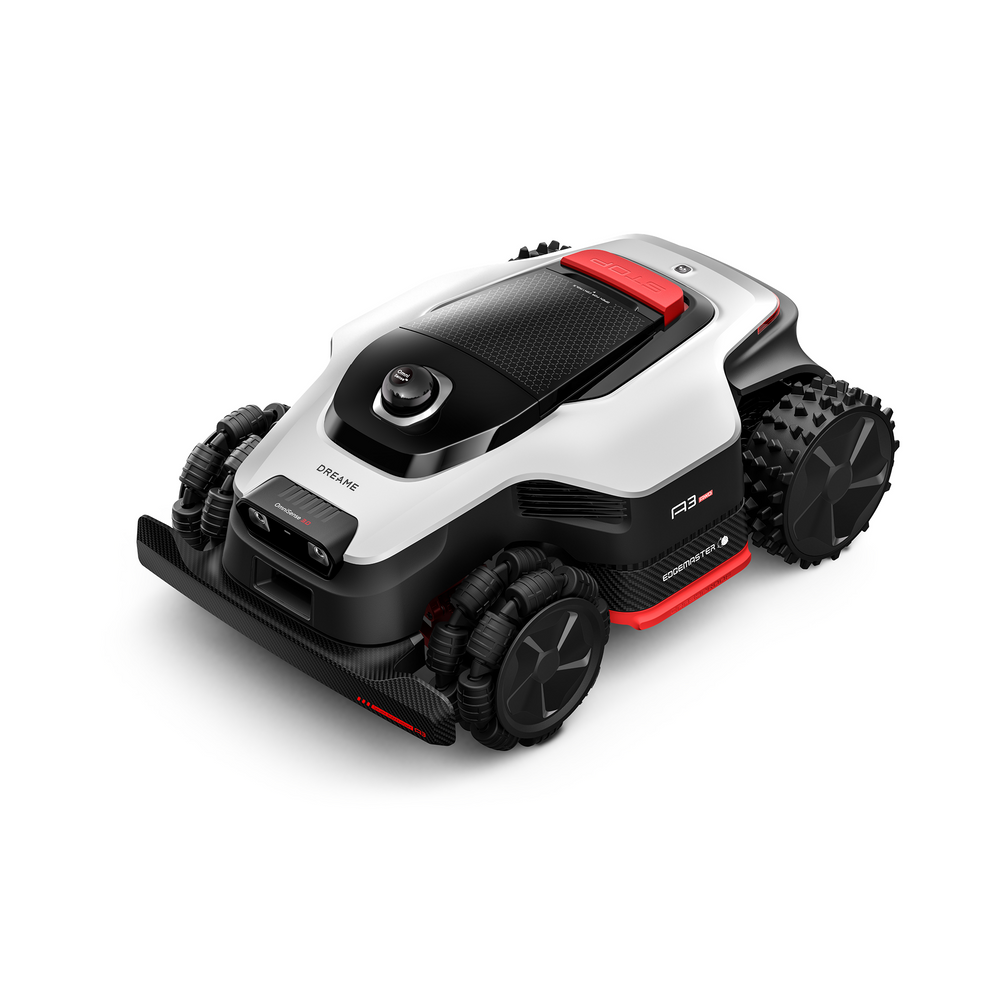
Checked Nov 27 · In stock when checked. Shipping and tax at checkout.

Checked Nov 27 · In stock when checked. Shipping and tax at checkout.
Buy at Lowe’s See all offers & model details ↗We may earn a commission when you buy through these links.
Our recommendations come from published specifications. We may earn a commission from qualifying purchases. As an Amazon Associate, we earn from qualifying purchases. How we work
The quick verdict
Here’s where we’d start.
Check the exact mower before trying to extend Wi-Fi across the garden. Dreame's A3 AWD FAQ describes Bluetooth mapping and scheduled mowing after mapping without network connectivity. Eufy E15 Gen 2 has Wi-Fi setup and cellular communication for weak-Wi-Fi areas and remote features. Those aren't promises of identical offline behavior. Separate setup, positioning, mowing, app commands and anti-theft service before deciding what coverage you need.
A3 AWD 1000
The A3 AWD FAQ describes Bluetooth mapping and autonomous scheduled mowing after mapping without a network connection.
Remote control and service entitlements are separate. The page's free-4G periods conflict.
E15 Gen 2
The exact T280L manual describes Wi-Fi app setup and cellular support where Wi-Fi is weak.
Paid cellular data follows the initial trial. Don't infer that all setup and remote features work without a connection.
Ask what the connection is needed for.
A mower can need a connection to register the device, download an update, send a command or report its location. That isn't automatically the same connection it uses to find its way around the lawn. Before buying a range extender, ask which task actually fails where the Wi-Fi gets weak.
We'd check setup, mapping, normal mowing, remote app access and anti-theft reporting separately. Then ask what happens if each signal disappears. Our navigation guide explains why Wi-Fi, Bluetooth, cameras, LiDAR and RTK shouldn't all be treated as interchangeable ways of keeping the robot online.
When the warning is specifically about location or satellites, our GPS troubleshooting guide covers positioning separately from home-network access and remote app status.
Dreame describes a mowing routine without garden-wide Wi-Fi.
For the Dreame A3 AWD 1000, the family FAQ says mapping can use Bluetooth without Wi-Fi. Once mapping is complete, it describes setting a schedule and letting the mower work autonomously without network connectivity, or starting tasks from the control panel.
That is useful if the house Wi-Fi fades by the back fence. It doesn't establish that every remote app feature works offline, or that the same procedure applies to another Dreame generation. Confirm the exact setup sequence and current software before buying for that routine, especially if you expect to control it while you're away.
Eufy separates Wi-Fi setup from cellular communication.
The eufy E15 Gen 2 T280L manual asks for the router's 2.4 GHz band to be enabled for app setup. It describes cellular data supporting communication when Wi-Fi is weak, with a cellular connection used for anti-theft location reporting. The product page also advises enabling 4G after setup.
We wouldn't turn that into a promise that every feature runs with no network at all. Check the current data plan, allowance and coverage at the far end of the lawn. The manual describes paid data after an initial trial. Our subscription guide covers what to confirm before relying on cellular service.
An offline app doesn’t always mean the mower has stopped.
A robot may be following a stored routine while the phone cannot reach it, or it may need a connection for the task you're trying to start. The model's instructions should settle that question. Don't assume the app's status alone proves either successful mowing or a positioning fault.
Dreame's A3 page advertises one year of complimentary 4G in one place and up to three years in reused FAQ wording. Get the selected package terms confirmed rather than choose whichever period sounds better. For a mower using network RTK, also ask which positioning functions depend on its data connection; camera navigation and cellular app access are different jobs.
Check the dock and the far corner as separate locations.
Walk the route with the installation requirements in mind: the dock, a narrow side passage, and the part behind the house may have different signal conditions. A phone signal check can help start the conversation, but it isn't a guarantee of the mower's reception. Ask the manufacturer how to assess the exact installation.
Our charging-station guide helps with the dock, and separate front-and-back lawns covers routes between zones. Moving a station to improve Wi-Fi still needs to leave the robot a suitable approach and the required positioning conditions.
If setup or remote access is already failing, our mower Wi-Fi troubleshooting guide starts with the failed stage, then checks exact app selection, network mode and service state.
For travel across paving, our driveway-crossing guide separates the physical route and vehicle access from network coverage. A stronger Wi-Fi signal does not settle those installation questions.
Buy extra network equipment after identifying the missing job.
We'd get a clear answer to three questions: can this model finish its intended routine without home Wi-Fi, how would you start or change that routine, and which features need cellular or internet access? That tells you whether the practical answer is better Wi-Fi, a supported data plan or a different mower setup.
Use the exact model's connection procedure and contact support if it won't pair. Avoid improvised account resets or weakening router security to force a connection. Our Dreame buying guide and E15 generation comparison help keep the equipment and generation straight.
Our Worx WR210 versus WR310.1 comparison is useful when two mowers both have Wi-Fi but use different navigation. It separates camera-led mowing from checking RTK Cloud support at the property.
The Genie 600 versus 600e 4G versus larger tiers guide illustrates why Wi-Fi, remote cellular access and positioning need separate answers, especially when a variant has no complete matching technical column.
For a mower that physically fails to get home, our charging-station troubleshooting guide checks routes, station movement and alignment before treating an app connection as the cause.
If remote scheduling is the reason for the connection check, our night-mowing guide explains the separate operating, wildlife and route questions to settle before relying on after-dark work.
A closer look
The differences, in view.
Scroll horizontally on smaller screens. Values are manufacturer claims; see each product for qualifiers and original wording.
| Specification | A3 AWD 1000 | E15 Gen 2 |
|---|---|---|
| Navigation | 360° 3D LiDAR + binocular AI vision | TrueVision camera navigation |
| Drive system | AWD | Not confirmed |
| Maximum slope | 80 %Maximum climbing claim; separate boundary limit not documented in this capture. Not an independent traction test. | Not confirmed |
| Maximum slope | 38.7 °Manufacturer rounded equivalent. | 18 °Visible mower setup FAQ; boundary-slope limit not specified. |
| Cutting width | 7.9 in | 8 inE15 Gen2 T280L specification table. |
| Cutting height | 1.2–3.9 in0.2-inch increments. | 1–3 inE15 Gen2 T280L user guide, section 2.4; not transferred from the original E15. |
| Battery capacity | 5 Ah | Not confirmed |
Ready to choose?
Your next step, made simple.
Checked Nov 27 · In stock when checked. Shipping and tax at checkout.
Checked Nov 27 · In stock when checked. Shipping and tax at checkout.
Buy at Lowe’s See all offers & model details ↗We may earn a commission when you buy through these links.
Show your work
Sources & editorial method.
We reviewed official US product information and exact configurations. Our advice draws on published specifications and model-specific manufacturer instructions, with the practical trade-offs explained. Unknowns and conflicting claims are kept visible. Prices above come from the catalog and may change independently of this article’s review date.
- Dreame A3 AWD US page — Bluetooth mapping, scheduled offline mowing and conflicting 4G trial copy
- eufy E15 Gen 2 US product page — Wi-Fi setup and enable-4G guidance for exact T280L1A1
- eufy E15 Gen 2 T280L manual — sections 2.3, 3.1 and 5.8 on setup, cellular communication and paid data
Published Nov 2, 2026 · Editorial review Nov 4, 2026.
Read our research standardsKeep exploring
A little more perspective.

Can a Robot Mower Cross a Driveway Between Lawns?
Some robot mowers can travel between mapped lawns, but a pathway feature doesn't approve every driveway. Check the surface, level changes, route width and vehicle access before buying. E15 Gen 2 pathways and Navimow H2 channels show why the answer needs to stay specific to the mower and the route.
Read the guide
Do Robot Mowers Need a Subscription? 4G, RTK and App Costs Explained
A free app, included cellular data and lifetime positioning are different promises. We'd ask which features you need, how they connect and what happens when an included period ends before comparing the long-term cost of a mower.
Read the guide