Maintenance guide · 5 min read
How to Clean a Robot Lawn Mower
The grass underneath is only part of the job. Wheels, camera lenses and the charging station need attention too. Here's a practical cleaning routine using eufy E15 Gen 2 and Navimow X3 examples, with each model's instructions kept where they belong.
Based on published manufacturer information.

Checked Nov 27 · In stock when checked. Shipping and tax at checkout.
Buy at Lowe’s See all offers & model details ↗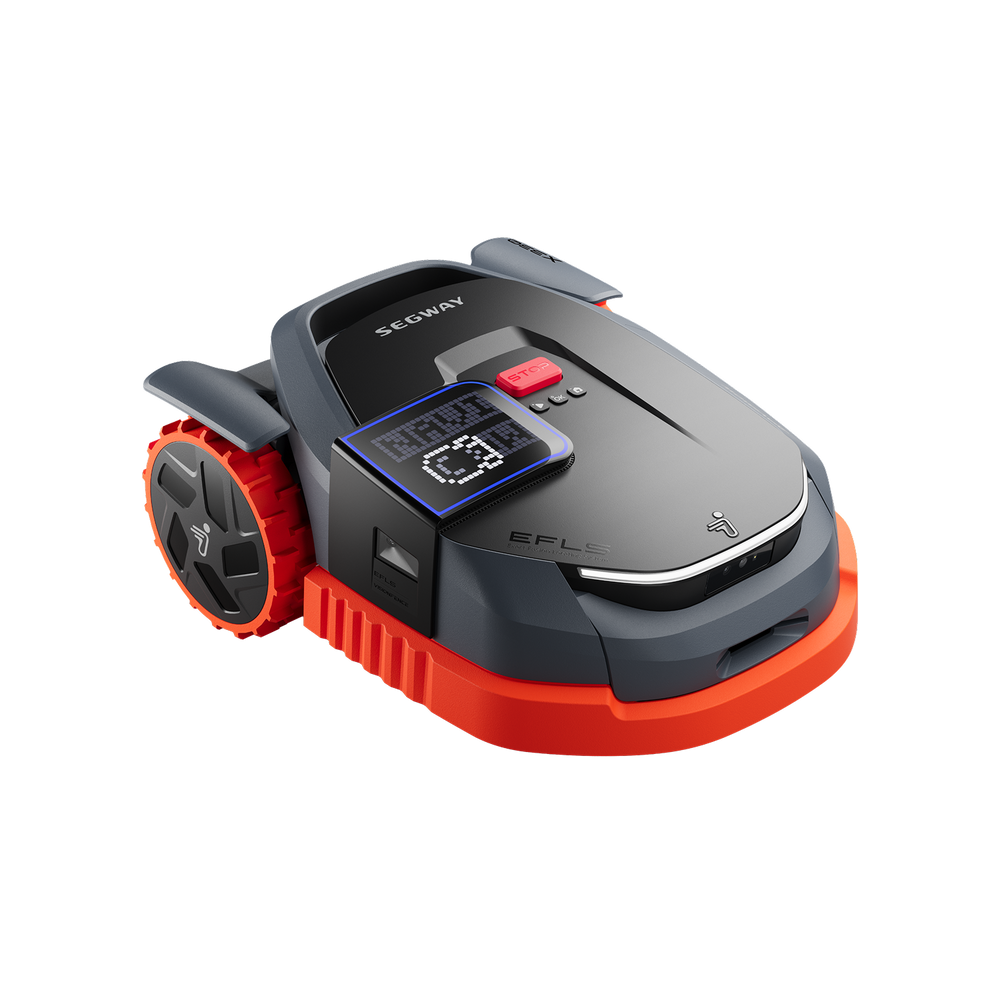
Checked Nov 27 · In stock when checked. Shipping and tax at checkout.
Buy at Lowe’s See all offers & model details ↗We may earn a commission when you buy through these links.
Our recommendations come from published specifications. We may earn a commission from qualifying purchases. As an Amazon Associate, we earn from qualifying purchases. How we work
The quick verdict
Here’s where we’d start.
Start with the mower switched off and its own maintenance instructions open. Clear clippings from the deck and wheels, use the specified cloth for delicate sensors, and clean the dock as directed. E15 Gen 2 and Navimow X3 allow a hose for specified cleaning tasks, but neither permits a pressure washer. A camera lens and a muddy wheel need different treatment.
E15 Gen 2
The T280L manual separates deck, wheel, rain-sensor, camera and base-station care.
The camera and dock marker need gentle cloth cleaning. Don't use the deck brush on them.
X390
Navimow's US X3 support instructions cover cloth or garden-hose cleaning with the mower switched off.
Secure the extension-bay cover and remove an attached Navimow Trimmer as instructed. Never use a pressure washer.
Switch it off before reaching underneath.
A robot that looks parked can still be ready for its next task. Shut it down using the model's instructions and wait for moving parts to stop before lifting or cleaning it. Work somewhere stable, with the manual beside you, rather than trying to scrape clippings away while it sits ready to mow.
The eufy E15 Gen 2 manual requires protective gloves near the blades, long trousers and work shoes, with maintenance performed by an adult. Follow its lifting guidance and protect the camera when supporting the mower. Don't improvise a way to remove a sealed battery as part of an ordinary clean.
Clear the clippings and mud you can reach safely.
Eufy's T280L manual permits a brush or water hose for the chassis and blade disc, and says to remove stuck debris. It also calls for mud and debris to be cleared from the driving wheels. Follow those tasks separately; permission to rinse the underside isn't permission to spray every opening or connected electrical part.
Look at the wheels as well as the grass-covered deck. For this eufy model, the manual also specifies care and supplied grease for the omni-wheel support after cleaning and monthly. That detail belongs to this model's procedure, rather than every mower with a wheel. If wet clippings keep building up, our rain-mowing guide is a useful next read.
If wheel debris keeps returning at the same spot, our mower-getting-stuck guide separates an obstruction from soft ground, an unsuitable route or a positioning alert, using exact eufy Gen 2 and Navimow i2 AWD guidance.
During leaf fall, our fallen-leaf guide separates preparation of the lawn from clearing accumulated debris out of the stopped machine.
If wheel marks persist after approved cleaning, read our wheel-track guide. It separates a visible mowing pattern from torn turf and soil depressions, then records whether the wear follows mowing, transport or docking.
If poor cut appearance remains after approved cleaning, read our brown-tip diagnostic. Follow exact shutdown and replacement instructions rather than use a live underside check or improvise a sharpening routine.
Use our blades-not-spinning guide if cutting appears to stop. Save the task and warning first, then follow exact shutdown and handling instructions before any underside inspection.
Put the deck brush down before cleaning the camera.
For E15 Gen 2's V-FSD camera, eufy specifies gentle wiping with a lens cloth, sold separately. It warns against sharp or hard materials, including a brush. The rain sensor has different instructions: check that it isn't covered, clean it as directed and dry that area afterwards.
It's tempting to use the same tool for every dirty surface. Instead, keep a separate clean cloth for the delicate parts and look up each sensor before wiping it. Don't apply an eufy camera procedure to another maker's LiDAR window. Our mower-navigation guide explains why those surfaces do different jobs.
Our sensor-warning guide starts with the exact alert before approved lens care. H2’s clean-cloth directions and Gen 2’s camera instructions do not establish that a warning remaining afterward is only dirt.
Give the dock some attention too.
Eufy's manual calls for mud and debris to be removed from the base station and its connecting parts kept clear. The station marker gets a clean cloth, with no hard or sharp tools. Follow the model's power-supply precautions before working around the dock; don't rinse a live electrical connection or repair a damaged cable yourself.
If grass and dirt repeatedly collect around the approach, review the installation as well as cleaning it again. Our charging-station placement guide explains what to check. Persistent docking trouble after the approved care routine is a reason to contact support with the model and error message.
When a docking problem persists after approved cleaning, our return-to-station checks help record the failure stage and distinguish visual-marker care from a charging fault needing support.
Cleaning is a good time to notice worn parts.
Once the approved routine is complete, check for visible damage and follow the manual's checks before returning the mower to work. Cleaning can't repair a cracked disc or worn blade. Our blade-replacement guide explains when inspection should lead to replacement rather than another cleaning attempt.
Fit the cleaning routine around how much debris the mower is collecting, and follow the maker's maintenance intervals. Before a long break, move on to the separate winter-storage guide. Storage charging and battery care are different jobs from wiping the mower down.
If cleaning does not resolve the same missed area, our uncut-patches guide helps check whether the mower is reaching it and whether it belongs to the mapped cutting zone.
If the mower docks but will not charge, our mower-charging troubleshooting guide separates status indication, approved equipment, ordinary debris and battery protection using exact eufy Gen 2 and H2 manuals.
If a new rattle or vibration prompted the inspection, use our unusual-noise-and-vibration guide. It separates powered-off owner care, a correctly pivoting blade and damage that needs assessment before operation.
If useful runtime remains lower after permitted care and a completed charge, use the battery-service guide to prepare a model-specific diagnosis and parts request.
Before taking the mower for service, follow the transport checklist for model-specific shutdown, carrying and packing instructions.
A closer look
The differences, in view.
Scroll horizontally on smaller screens. Values are manufacturer claims; see each product for qualifiers and original wording.
| Specification | E15 Gen 2 | X390 |
|---|---|---|
| Rated lawn coverage | 0.2471 acresNormalized from 1,000 m² manufacturer coverage claim; not per-charge coverage. | 2.5 acreRecommended model-specific lawn size, not the expanded mapping allowance. |
| Maximum slope | 18 °Visible mower setup FAQ; boundary-slope limit not specified. | Not confirmed |
| Navigation | TrueVision camera navigation | EFLS 3.0 |
| Boundary setup | No perimeter wire or RTK stationManufacturer configuration claim, not a guarantee of signal reliability. | No perimeter wire |
| Connectivity | Wi-Fi setup; 4G supportedThe page does not establish this generation’s data subscription terms. | Not confirmed |
| Cutting height | 1–3 inE15 Gen2 T280L user guide, section 2.4; not transferred from the original E15. | Not confirmed |
| Cutting width | 8 inE15 Gen2 T280L specification table. | Not confirmed |
Ready to choose?
Your next step, made simple.
Checked Nov 27 · In stock when checked. Shipping and tax at checkout.
Buy at Lowe’s See all offers & model details ↗Checked Nov 27 · In stock when checked. Shipping and tax at checkout.
Buy at Lowe’s See all offers & model details ↗We may earn a commission when you buy through these links.
Show your work
Sources & editorial method.
We reviewed official US product information and exact configurations. Our advice draws on published specifications and model-specific manufacturer instructions, with the practical trade-offs explained. Unknowns and conflicting claims are kept visible. Prices above come from the catalog and may change independently of this article’s review date.
- Anker eufy E15 Gen 2 T280L manual — sections 5, 5.1, 5.3 and power-supply precautions
- Navimow US X3 support — How to clean Navimow X3, extension-bay cover and trimmer conditions
Published Nov 2, 2026 · Editorial review Nov 22, 2026.
Read our research standardsKeep exploring
A little more perspective.
How Often Should You Replace Robot Mower Blades?
Use the interval for your exact mower, then inspect the blades rather than waiting for the calendar alone. E15 Gen 2 and Navimow X3 use different guidance. We'd keep the right replacement set ready and check the fastening instructions before starting the job.
Read the guide
Brown grass tips after robot mowing: Check the leaf before blaming the lawn
A lawn that looks pale after mowing may have torn leaf tips, but brown patches can have other causes. Look closely at the grass, check the cutting conditions and follow the exact mower’s maintenance instructions before changing the lawn-care plan.
Read the guide