Troubleshooting guide · 5 min read
Why Is My Robot Mower Leaving Uncut Patches?
Before changing every setting, look at where the grass is being missed. A strip beside a wall, an unmapped corner and a patch the mower drives over without cutting need different checks. We'd work through the map, grass and maintenance one step at a time.
Based on published manufacturer information.

Checked Nov 27 · In stock when checked. Shipping and tax at checkout.
Buy at Lowe’s See all offers & model details ↗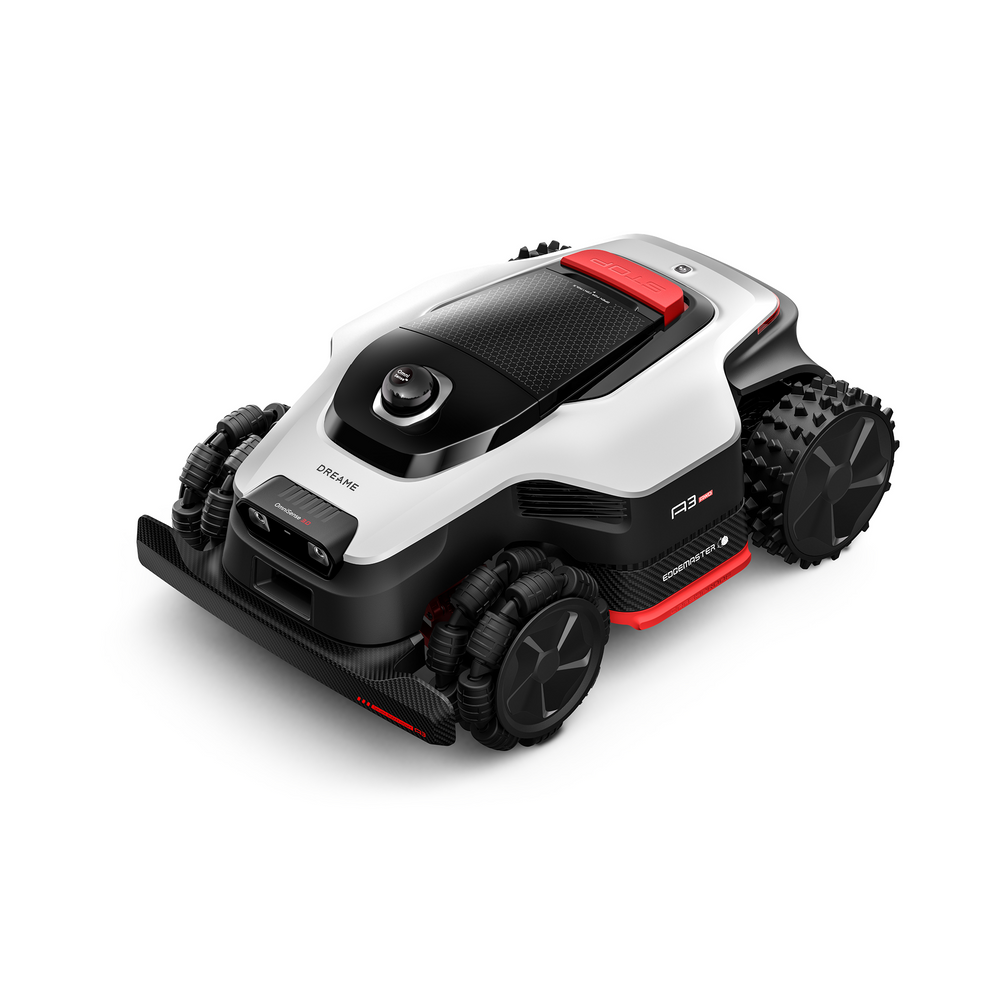
Checked Nov 27 · In stock when checked. Shipping and tax at checkout.
We may earn a commission when you buy through these links.
Our recommendations come from published specifications. We may earn a commission from qualifying purchases. As an Amazon Associate, we earn from qualifying purchases. How we work
The quick verdict
Here’s where we’d start.
First identify whether the missed grass is an expected border strip, outside the mapped work area, waiting for a task to finish, or being driven over without a clean cut. Check the exact model's map and maintenance instructions before changing boundaries or parts. Eufy E15 Gen 2 documents Must-Mow Zones; Dreame A3 AWD documents map editing. Neither is a reason to remove legitimate safety exclusions or assume another model has the same controls.
E15 Gen 2
The exact T280L manual documents Must-Mow, No-go and No-Mow Zones, plus blade and sensor care.
Keep water, drops and other hazards excluded, and use the manual for your Gen 2 mower when changing the map.
A3 AWD 1000
Dreame's A3 AWD FAQ explains map editing, zone changes and paths between areas.
A path isn't necessarily a cutting zone. Check the approved layout before expanding a boundary.
Start by photographing the missed patch.
Is it always the same place, only beside a raised edge, or scattered across the lawn? Also note whether the mower enters that patch and what the app says about the task. A clear photo and a map screenshot are more useful than changing several settings and losing track of what helped.
Check that the intended session has finished rather than paused for charging or weather. Keep the task status or error for support. If the gap is a narrow strip beside a wall or fence, start with our edge-cutting guide; a mower's border clearance isn't automatically a fault.
On E15 Gen 2, check what the map asks it to cut.
The eufy E15 Gen 2 T280L manual separates No-go, Must-Mow and No-Mow Zones. A Must-Mow Zone prioritizes an area needing regular mowing. Check the exact app instructions to see whether that is appropriate for an ordinary missed part of the lawn.
Don't solve a coverage complaint by clearing an exclusion that protects water, a drop or another hazard. The manual specifically calls for protected zones around those features. Also check whether another lawn needs a pathway rather than a new cutting setting. Our separate-lawns guide explains that distinction.
Use the edit-or-remap guide if a zone or boundary is causing the gap. Check the exact zone tool and supported local editing procedure before recreating the whole lawn.
On A3 AWD, compare the saved boundary with the actual lawn.
For the Dreame A3 AWD 1000, the manufacturer's FAQ describes editing a generated map to expand or split zones. It also explains that the blade stays inactive while travelling along a connecting path. Grass beside a travel route shouldn't automatically be treated as a mapped cutting area.
If the garden has changed, use the model's map-editing guidance and ask support whether a larger change needs remapping. Keep required boundary clearances intact. Our navigation guide helps separate map coverage from a general Wi-Fi or positioning question.
If it crosses the patch, look at the cutting job.
Check starting grass height and conditions against that mower's instructions. Eufy's visible Gen 2 setup advice asks for grass below 3.5 inches before first use; that isn't the same as its selectable cutting-height range. Don't lower the deck aggressively to force a first pass through grass outside the approved starting conditions.
With the mower safely shut down as directed, follow the manual's inspection for worn or damaged blades and stuck clippings. Cleaning and replacement are different jobs. Our long-grass guide, blade guide and cleaning guide keep those procedures model-specific.
When grass has been cut too low rather than left standing, our scalping guide separates a large height change, a local scrape, wheel marks and torn tips before suggesting the next check.
Our blades-not-spinning guide separates a missed route from a cutting-system interruption. Never lift a running mower or reach underneath to confirm whether the disc is moving.
If whole zones are left unfinished after an early return, see how to check short battery runtime. Record whether the return was caused by charge, the schedule or an alert.
Clear the ordinary obstruction before blaming the map.
Check whether a movable object, changed garden furniture or blocked route is keeping the mower away. Follow the exact sensor-cleaning instructions too. For E15 Gen 2, the manual calls for gentle lens-cloth care on the precision camera; the brush used on the deck isn't the camera tool.
Do not disable obstacle protection to make the robot approach a hazard. If a required passage or boundary cannot meet the installation instructions, it may need a different layout rather than another app adjustment. Our charging-station guide is relevant when the missed work follows repeated problems returning home.
If the gaps follow positioning warnings, the GPS troubleshooting guide checks the failed location, antenna arrangement and supported diagnostic tools rather than treating every patch as a blade problem.
Use our sensor-warning guide if the missed area accompanies a camera or LiDAR alert. Save the message and location before cleaning, and keep a persistent warning separate from a simple access problem.
Change one thing, then keep the result.
After an approved adjustment, check the next intended task and note what changed. If the same patch remains, send support the full model, app/firmware version, task status, map, grass height and photos. Explain whether the mower avoids the area or enters it without cutting well.
We'd settle those configuration and service questions before shopping for a replacement. A bigger mower doesn't automatically correct an excluded corner or worn blade. Our Wi-Fi guide also explains why an app connection problem and an actual missed mowing area aren't necessarily the same issue.
If the problem is keeping up with growth rather than a fixed inaccessible strip, our mowing-frequency guide checks area, charging, routes and the permitted timetable before adding more tasks.
When the missing patch follows an actual trap or slipping wheels, our guide to a mower that keeps getting stuck helps record the location, inspect approved wheel areas and assess the route before adding more mowing time.
A closer look
The differences, in view.
Scroll horizontally on smaller screens. Values are manufacturer claims; see each product for qualifiers and original wording.
| Specification | E15 Gen 2 | A3 AWD 1000 |
|---|---|---|
| Rated lawn coverage | 0.2471 acresNormalized from 1,000 m² manufacturer coverage claim; not per-charge coverage. | 0.25 acreRated area for the 1000 variant; the 2000 has a separate rating. |
| Maximum slope | 18 °Visible mower setup FAQ; boundary-slope limit not specified. | 38.7 °Manufacturer rounded equivalent. |
| Navigation | TrueVision camera navigation | 360° 3D LiDAR + binocular AI vision |
| Connectivity | Wi-Fi setup; 4G supportedThe page does not establish this generation’s data subscription terms. | App control |
| Cutting height | 1–3 inE15 Gen2 T280L user guide, section 2.4; not transferred from the original E15. | 1.2–3.9 in0.2-inch increments. |
| Cutting width | 8 inE15 Gen2 T280L specification table. | 7.9 in |
| Battery energy | 93.24 WhEnergy capacity from the T280L manual; no comparison with an unverified original-E15 battery is inferred. | Not confirmed |
Ready to choose?
Your next step, made simple.
Checked Nov 27 · In stock when checked. Shipping and tax at checkout.
Buy at Lowe’s See all offers & model details ↗Checked Nov 27 · In stock when checked. Shipping and tax at checkout.
We may earn a commission when you buy through these links.
Show your work
Sources & editorial method.
We reviewed official US product information and exact configurations. Our advice draws on published specifications and model-specific manufacturer instructions, with the practical trade-offs explained. Unknowns and conflicting claims are kept visible. Prices above come from the catalog and may change independently of this article’s review date.
- eufy E15 Gen 2 T280L manual — exact zone controls, pathway behavior and blade/camera care
- eufy E15 Gen 2 visible US setup guidance — starting grass condition
- Dreame A3 AWD US FAQ — map editing, changed gardens and inactive blades on connecting paths
Published Nov 2, 2026 · Editorial review Nov 15, 2026.
Read our research standardsKeep exploring
A little more perspective.
Can Robot Mowers Cut Long Grass? What to Do Before the First Mow
Sometimes, within the limits of the exact mower. But an overgrown lawn is a different job from keeping it tidy every few days. Check the starting grass height before sending a robot into it, even if the mower offers a tall cutting setting.
Read the guideDo Robot Mowers Need Wi-Fi Across the Whole Yard?
Not every mower needs your home Wi-Fi to reach every corner. The answer depends on how it maps, what it needs to keep mowing and which app features you want away from the house. We'd check those jobs separately before buying more network equipment.
Read the guide