Maintenance guide · 6 min read
How Often Should You Replace Robot Mower Blades?
Use the interval for your exact mower, then inspect the blades rather than waiting for the calendar alone. E15 Gen 2 and Navimow X3 use different guidance. We'd keep the right replacement set ready and check the fastening instructions before starting the job.
Based on published manufacturer information.

Checked Nov 27 · In stock when checked. Shipping and tax at checkout.
Buy at Lowe’s See all offers & model details ↗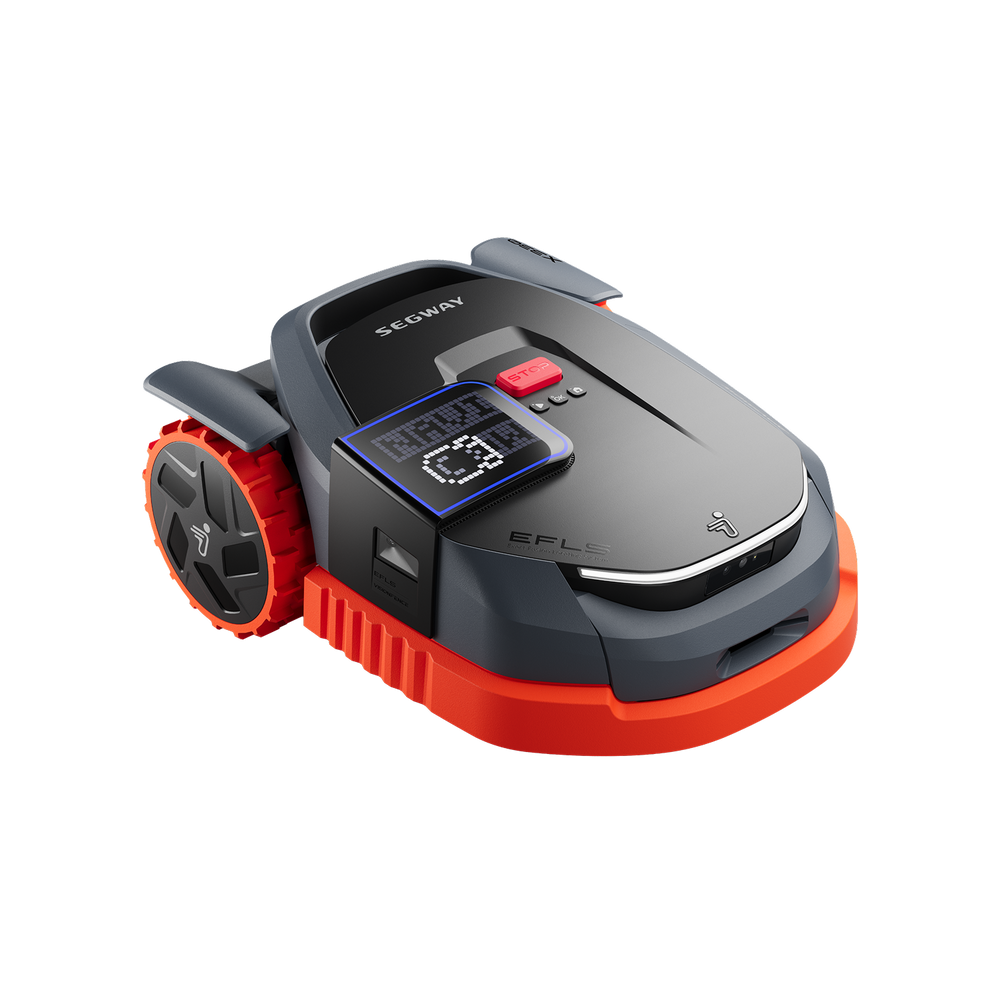
Checked Nov 27 · In stock when checked. Shipping and tax at checkout.
Buy at Lowe’s See all offers & model details ↗We may earn a commission when you buy through these links.
Our recommendations come from published specifications. We may earn a commission from qualifying purchases. As an Amazon Associate, we earn from qualifying purchases. How we work
The quick verdict
Here’s where we’d start.
E15 Gen 2's T280L manual recommends replacing blades and screws every one to two months in regular use. Navimow's US X3 support guidance gives a typical 80 working hours. Those are model-specific planning points, not interchangeable deadlines or permission to keep using damaged blades. Inspect as directed, use approved parts and follow the exact shutdown, replacement and final-check procedure for the mower.
E15 Gen 2
The T280L manual gives a one-to-two-month regular-use recommendation and replaces all three blades and screws together.
Use the exact Gen 2 procedure and approved parts. Worn or damaged blades need attention before the calendar interval.
X390
Navimow’s US X3 support page gives a typical 80-hour blade interval and directs owners to Parts Maintenance in the app.
Apply the current X3 instructions to X390; an app reminder doesn't replace inspection or establish another family's hardware requirements.
Start with the model label and its instructions.
The eufy E15 Gen 2 T280L manual recommends new blades and screws every one to two months for regular use. For the Navimow X390, the US X3 support page gives a typical 80 hours of blade use. Both provide a useful planning point, but they measure the interval differently.
Keep the exact manual and replacement part reference beside the mower's records. A similar-looking blade or a familiar brand name isn't enough to establish compatibility. Our E15 generation comparison helps identify the eufy model these instructions belong to.
Eighty working hours isn’t eighty days in the garden.
A mower that cuts frequently reaches a working-hour interval sooner than one doing a small, occasional job. Navimow directs X3 owners to its Parts Maintenance area in the app. Use the current app and manual instructions to understand the recorded blade use; time parked on the charger isn't automatically cutting time.
Eufy's one-to-two-month recommendation is explicitly for regular use. We'd plan inspections and spare parts around the actual routine, without inventing a direct conversion between months and operating hours. A big lawn can make blade care a frequent part of ownership, so our two-acre guide includes maintenance time alongside the mowing schedule.
Replace worn or damaged blades before a reminder tells you to.
Eufy's manual calls for replacing worn or damaged blades for safe operation. Follow the exact shutdown procedure before inspecting them. If something has been struck, check the machine as its instructions direct instead of assuming a scheduled reminder will catch the problem.
A calendar interval can't describe every lawn, obstacle or amount of work. We'd keep an eye on the cutting result and the condition of the approved blade system. If the finish changes, inspect and consult the manual; a poor result isn't proof that blades are the only possible cause.
A missed patch is not always a blade problem. Our guide to uncut patches checks map coverage and task status before treating uneven work as a reason to replace parts.
For a lawn scraped at the same high point, read our scalping guide before assuming new blades will solve it. Blade condition and the mower’s fit over the ground are different checks.
Our fallen-fruit-and-cones guide explains why repeated impacts need a clearance and route review too. New blades do not make hard debris acceptable in the operating area.
Our clipping-clump guide keeps cutting-part condition beside grass moisture and length. A clump alone does not prove a blade fault, and inspection requires the exact shutdown procedure.
Use our brown-tip diagnostic when ragged cut ends appear. The worked example separates leaf-tip injury from scalping and symptoms that spread independently of mowing.
Our blades-not-spinning guide checks the actual task, obstruction and warning before treating fresh blades as the answer. Persistent cutting failure is a different question from ordinary blade wear.
Order the approved blade and screw set.
The Gen 2 manual specifies manufacturer-approved blades and screws, requires all three to be replaced together and says not to reuse the old screws. It also requires checking that the new blades pivot freely. Those instructions belong to this exact cutting system, rather than every robot with small swinging blades.
For X390, use the matching X3 replacement instructions and approved assembly. Confirm the screws, washers if required, quantities and fastening method for that set. We'd compare compatibility and a complete set before comparing pack prices; the photograph of a blade doesn't tell you whether its fastener arrangement is correct.
Read the illustrated procedure before turning the mower over.
Power down and prepare the mower exactly as its manual directs before underside work. Eufy's Gen 2 procedure calls for protective gloves, turning the mower onto a soft surface and protecting the camera. Keep the correct illustrated instructions open so blade placement and fastening aren't guessed from another model.
Use the tools and fastening requirements specified for the mower. A torque or screw detail from eufy isn't a setting to copy into Navimow. If the cutting disc, fastening point or surrounding part appears damaged, get the manufacturer's repair guidance before treating a new blade set as the whole repair.
Do the final checks and write down the replacement.
Complete the model's final checks before returning it to mowing. For Gen 2, the manual explicitly checks free blade pivoting after fitting. Follow X3's own procedure and any app maintenance-record instructions for Navimow. We'd note the date, relevant hours and part used so the next replacement is easier to plan.
If the cutting result still isn't right, look at the starting-grass requirements and the permitted condition of the lawn. Our long-grass guide and rain guide cover two situations where a new set of blades doesn't remove the operating limits.
Our noise-and-vibration diagnostic compares a symptom after incomplete blade replacement with one after an object strike. Correct parts and balance matter, but a new blade set is not a complete damage diagnosis.
Make blade checks part of the normal mowing routine.
We'd use the maker's interval as a planning point, inspect as directed and have the correct replacement set ready. Keeping a record is more useful than adopting a universal three-month rule from an unrelated mower. A shorter or longer advertised schedule elsewhere doesn't change the instructions for the machine in front of you.
Blade work is also separate from preparing the mower for a season off. Our winter-storage guide keeps cleaning, battery and storage instructions tied to their exact models. The Navimow guide helps if you need to identify the family before ordering the next set.
A blade inspection is also a useful time to check the deck and wheels for stuck clippings. Our mower-cleaning guide explains why the underside, camera and charging station need different tools and model-specific instructions.
Our guide to how often a robot mower should run keeps blade care in the schedule alongside growth and available hours, rather than treat more operating time as the answer to every change in finish.
A closer look
The differences, in view.
Scroll horizontally on smaller screens. Values are manufacturer claims; see each product for qualifiers and original wording.
| Specification | E15 Gen 2 | X390 |
|---|---|---|
| Rated lawn coverage | 0.2471 acresNormalized from 1,000 m² manufacturer coverage claim; not per-charge coverage. | 2.5 acreRecommended model-specific lawn size, not the expanded mapping allowance. |
| Maximum slope | 18 °Visible mower setup FAQ; boundary-slope limit not specified. | Not confirmed |
| Navigation | TrueVision camera navigation | EFLS 3.0 |
| Boundary setup | No perimeter wire or RTK stationManufacturer configuration claim, not a guarantee of signal reliability. | No perimeter wire |
| Connectivity | Wi-Fi setup; 4G supportedThe page does not establish this generation’s data subscription terms. | Not confirmed |
| Cutting height | 1–3 inE15 Gen2 T280L user guide, section 2.4; not transferred from the original E15. | Not confirmed |
| Cutting width | 8 inE15 Gen2 T280L specification table. | Not confirmed |
Ready to choose?
Your next step, made simple.
Checked Nov 27 · In stock when checked. Shipping and tax at checkout.
Buy at Lowe’s See all offers & model details ↗Checked Nov 27 · In stock when checked. Shipping and tax at checkout.
Buy at Lowe’s See all offers & model details ↗We may earn a commission when you buy through these links.
Show your work
Sources & editorial method.
We reviewed official US product information and exact configurations. Our advice draws on published specifications and model-specific manufacturer instructions, with the practical trade-offs explained. Unknowns and conflicting claims are kept visible. Prices above come from the catalog and may change independently of this article’s review date.
- E15 Gen 2 T280L manual — section 5.2 interval, complete three-blade/screw replacement and exact handling/final checks
- Official eufy support page linking the exact T280L manual
- Navimow US X3 support — typical 80-hour interval, app Parts Maintenance and matching family resources
Published Nov 2, 2026 · Editorial review Nov 10, 2026.
Read our research standardsKeep exploring
A little more perspective.
How to Clean a Robot Lawn Mower
The grass underneath is only part of the job. Wheels, camera lenses and the charging station need attention too. Here's a practical cleaning routine using eufy E15 Gen 2 and Navimow X3 examples, with each model's instructions kept where they belong.
Read the guide
Brown grass tips after robot mowing: Check the leaf before blaming the lawn
A lawn that looks pale after mowing may have torn leaf tips, but brown patches can have other causes. Look closely at the grass, check the cutting conditions and follow the exact mower’s maintenance instructions before changing the lawn-care plan.
Read the guide