Ownership guide · 4 min read
Do Robotic Pool Cleaners Need Wi-Fi to Clean?
Some can start ordinary cleaning from onboard buttons without Wi-Fi on every run. The app still has a separate role in setup, customization and updates. We'd check the exact model's offline controls before buying for a pool with weak signal, then plan retrieval without relying on a live underwater connection.
Based on published manufacturer information.
No current brand offer. Explore Amazon options.
Checked Nov 27 · In stock when checked. Shipping and tax at checkout.
Buy at Lowe’s See all offers & model details ↗We may earn a commission when you buy through these links.
Our recommendations come from published specifications. We may earn a commission from qualifying purchases. As an Amazon Associate, we earn from qualifying purchases. How we work
The quick verdict
Here’s where we’d start.
Not every model needs Wi-Fi for every clean. Beatbot explicitly says Sora 30 and Sora 70 support offline control from onboard buttons. That doesn't make all app functions or every other cleaner available offline. Confirm initial setup, the physical modes and any saved custom settings for the exact unit. A submerged robot showing offline isn't proof it has stopped cleaning, and a connection feature doesn't guarantee live retrieval from every task or depth.
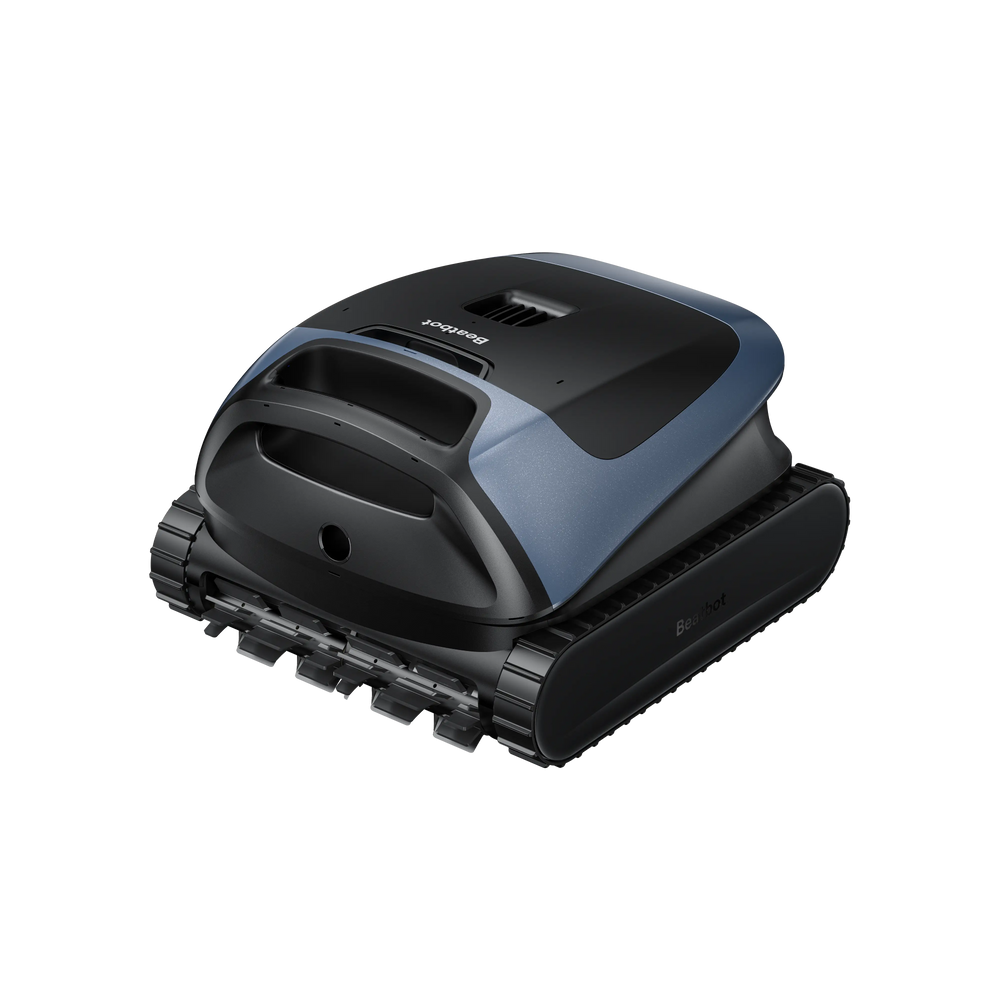
Sora 30 · Deep Blue
Beatbot explicitly confirms Sora 30 can run through onboard offline controls; its jobs are floor, walls and waterline.
Confirm initial setup, available physical modes and the pickup routine. App notifications and control states are separate questions.
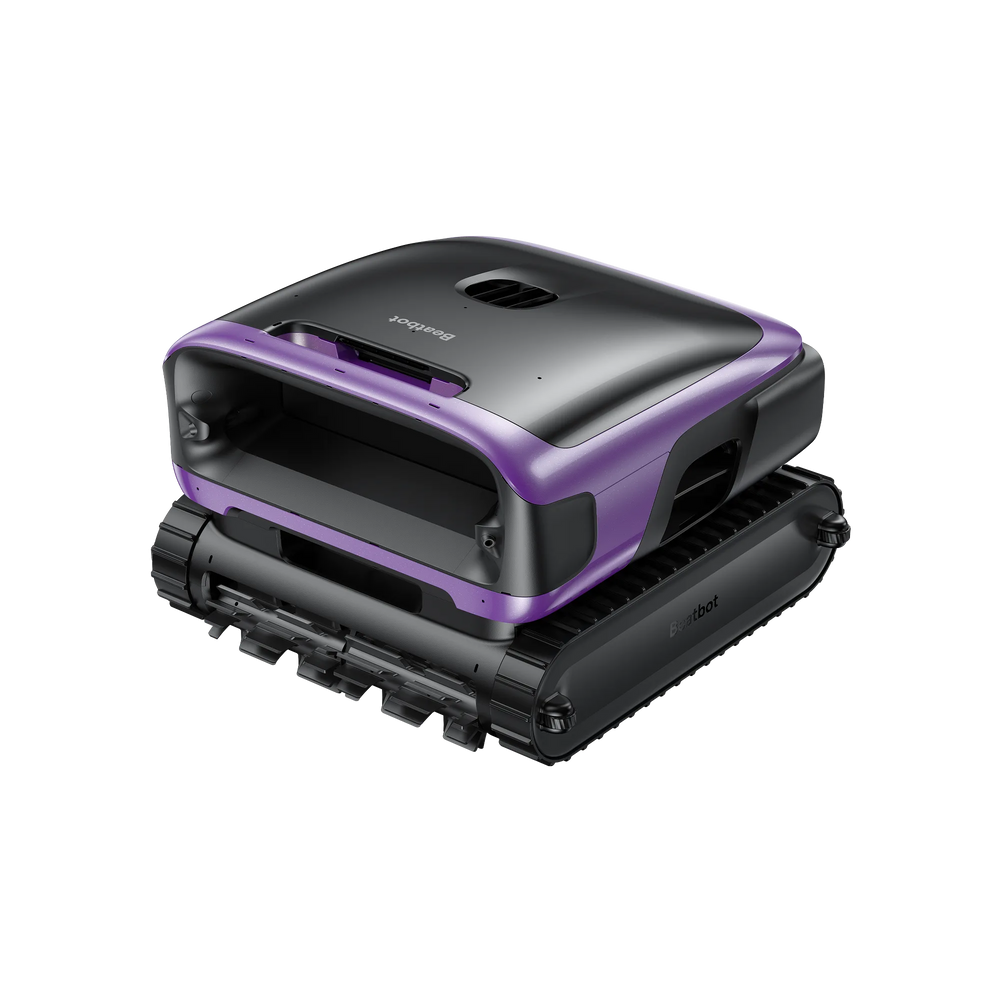
Sora 70 · Lavender Purple
Beatbot also confirms Sora 70 onboard offline control, with surface cleaning among its documented jobs.
Its app retrieval/control guidance depends on the robot’s surface state. Don’t assume every custom function works without prior app setup.
Separate starting a clean from using every app feature.
Ask three questions: can the robot begin a normal job on its own buttons, what needs the app before that job, and what can be changed during the run? Those aren't automatically the same connection requirement. An app logo alone doesn't answer any of them.
We'd confirm the exact model and current manual before choosing for a property with no poolside Wi-Fi. Initial activation, saved customization and firmware updates may have their own requirements. Our pool-cleaner charging guide also separates a physical operating problem from what the app happens to show.
Our Dolphin CC Plus/Wi-Fi guide shows an app-control upgrade within floor-and-wall cleaners. Match the exact part number and supported setup rather than expect Wi-Fi to add waterline cleaning.
Sora 30 and 70 have explicit manufacturer offline guidance.
Beatbot's beginner guidance specifically names Sora 30 and Sora 70 as supporting offline control from onboard buttons. That provides a clear basis for asking about a normal button-start routine, without borrowing an answer from the older AquaSense or another family's FAQ.
Sora 30's documented jobs are floor, walls and waterline; Sora 70 also adds the surface. Offline operation doesn't add a missing cleaning job. Our Sora 30 versus 70 guide explains that separate choice.
Check which settings need a connection before the run.
The app adds functions such as monitoring, updates and customization. Confirm which ordinary modes can be selected physically and whether a favorite shortcut must first be configured in the app. Follow the current model's instructions rather than use a universal long-press or reset sequence.
Use the exact supported pairing bands and setup process. Sora's stated dual-band Wi-Fi is a local wireless specification, not a cellular-data promise. If pairing fails, preserve the message and ask support; don't assume basic cleaning and remote monitoring fail for the same reason.
If setup itself keeps failing, our pool-cleaner Wi-Fi connection guide works through exact Sora 30/70 bands, password, pairing-hotspot and documented fallback checks before a reset.
Our first-use guide uses the AquaSense manuals to complete connection on land before launch, keeping underwater app status separate from basic cleaning.
Our Dolphin CC Plus/CC Pro guide separates standard CC Plus from the separately named Wi-Fi model, and covers Pro’s stated MyDolphin Plus and timer features.
Our firmware update guide shows why the charging location needs the required connection even when a robot can clean after a task is assigned.
Our Dreame family-sharing guide covers another app setup question. Confirm the exact robot and recipient account before sending a Device Sharing invitation.
An offline app status doesn’t establish that the cleaner stopped.
Check the intended task and the model's expected behavior when submerged. Household Wi-Fi and Bluetooth features aren't a guarantee of continuous live control through the water. A robot may continue its selected clean while app status or notifications are unavailable.
Beatbot's Sora help guidance describes notifications syncing after retrieval in relevant cases. Use the exact model's status and pickup instructions before diagnosing a fault. Our cleaner-stopping guide separates normal completion, low-battery parking and unexpected stops.
An offline app message also does not establish that the water is ready for swimmers. Our swimming and cleaner-operation guide keeps the operating instruction and poolside retrieval separate from connection status.
The Freedom Plus/Freedom LT guide separates the Plus handheld underwater remote from app status and setup. An app label alone does not establish the same command path.
Our underwater-steering guide compares Z1 Pro’s dedicated light remote with AquaSense 2 Ultra’s documented surface-only app control. An app feature list does not establish the same control link on every model.
Plan pickup without depending on a live command.
Sora 70's app-control and recall guidance is limited to the water-surface state. Sora 30 has its own parking and retrieval behavior; don't transfer a sibling's timing or assume an app can summon it from any underwater task. Confirm what happens at completion or low battery.
Have the approved pickup equipment and a workable lifting routine ready. Surface parking isn't automatic exit onto the deck. Our retrieval guide explains those questions, including what to do when an app command isn't the pickup method.
Choose the offline routine you can actually use.
We'd compare an explicitly supported button-start option when ordinary offline cleaning covers the need. Get the initial setup and app-only functions confirmed before buying for a place with weak or absent Wi-Fi. Another manufacturer's app or physical control arrangement needs its own answer.
The Beatbot lineup guide covers the exact families. Offline convenience still leaves the basket, charging and care to plan; our filter-care guide and cleaning-frequency guide cover that routine.
A closer look
The differences, in view.
Scroll horizontally on smaller screens. Values are manufacturer claims; see each product for qualifiers and original wording.
| Specification | Sora 30 · Deep Blue | Sora 70 · Lavender Purple |
|---|---|---|
| Cleaning coverage | Floor, walls, waterlineShallow platforms also claimed, subject to minimum water depth and platform size. | Floor, walls, waterline, surfaceShallow-platform cleaning is conditional on depth and platform dimensions. |
| Rated pool area | 3230 sq ftManufacturer maximum cleaning coverage, not a measured result. | 3229 sq ftManufacturer maximum cleaning coverage, not a measured result. |
| Navigation | S-shaped floor paths + SonicSense obstacle avoidance | S-shaped paths + SonicSense obstacle avoidance |
Ready to choose?
Your next step, made simple.
No current brand offer. Explore Amazon options.
Checked Nov 27 · In stock when checked. Shipping and tax at checkout.
Buy at Lowe’s See all offers & model details ↗We may earn a commission when you buy through these links.
Show your work
Sources & editorial method.
We reviewed official US product information and exact configurations. Our advice draws on published specifications and model-specific manufacturer instructions, with the practical trade-offs explained. Unknowns and conflicting claims are kept visible. Prices above come from the catalog and may change independently of this article’s review date.
- Beatbot Sora 30 US page — exact underwater jobs, onboard/offline control and app scope
- Beatbot Sora 70 US page — exact combined jobs, onboard/offline controls and surface-state app retrieval
- Beatbot beginner guidance — explicit Sora 30/70 offline onboard control versus app functions
- Beatbot US help center — exact Sora 30/70 pairing, underwater notifications and retrieval states
Published Nov 3, 2026 · Editorial review Nov 19, 2026.
Read our research standardsKeep exploring
A little more perspective.
vsBeatbot Sora 30 vs Sora 70: Do You Need Surface Cleaning?
Sora 30 already cleans the floor, walls and waterline, and parks at the surface for retrieval. Sora 70 adds surface skimming. We'd decide how much help you need with floating leaves before paying for the extra job.
Read the guideHow to Clean a Robotic Pool Cleaner’s Filter, Brushes and Tracks
Emptying the basket is the first job, but don't stop there if hair or grit is caught around the brushes and tracks. A few checks after a clean are easier to fit into the routine than packing a dirty robot away and wondering why the next session isn't going well.
Read the guide